
Billing
The Billing pages let you review the consumption, cost composition, and resource usage details of your account for each billing period. The pages include Bill Overview, Monthly Bill, and Resource Details, which respectively help you understand the overall cost of a period, view the monthly bill amount, and analyze usage and cost by resource and billing item.
Billing Period and Data Notes
Bills are calculated by calendar month, and data updates generally have a 5-hour delay. The final bill for a month becomes available to view and export after 12:00 on the 5th day of the following month; before that, query results are for reference only and are not a basis for reconciliation. For reconciliation, use the final bill data in Monthly Bill. Resource Details is only for viewing and analyzing resource usage and does not have reconciliation authority.
Bill Overview
The Bill Overview shows the overall cost for the selected month, including the bill status, Payable Amount, Cash Payment, Voucher Deduction, Amount owed, consumption Amount, and Adjustment Amount. It also helps you understand cost composition and changes through Cost Distribution and cost trends.
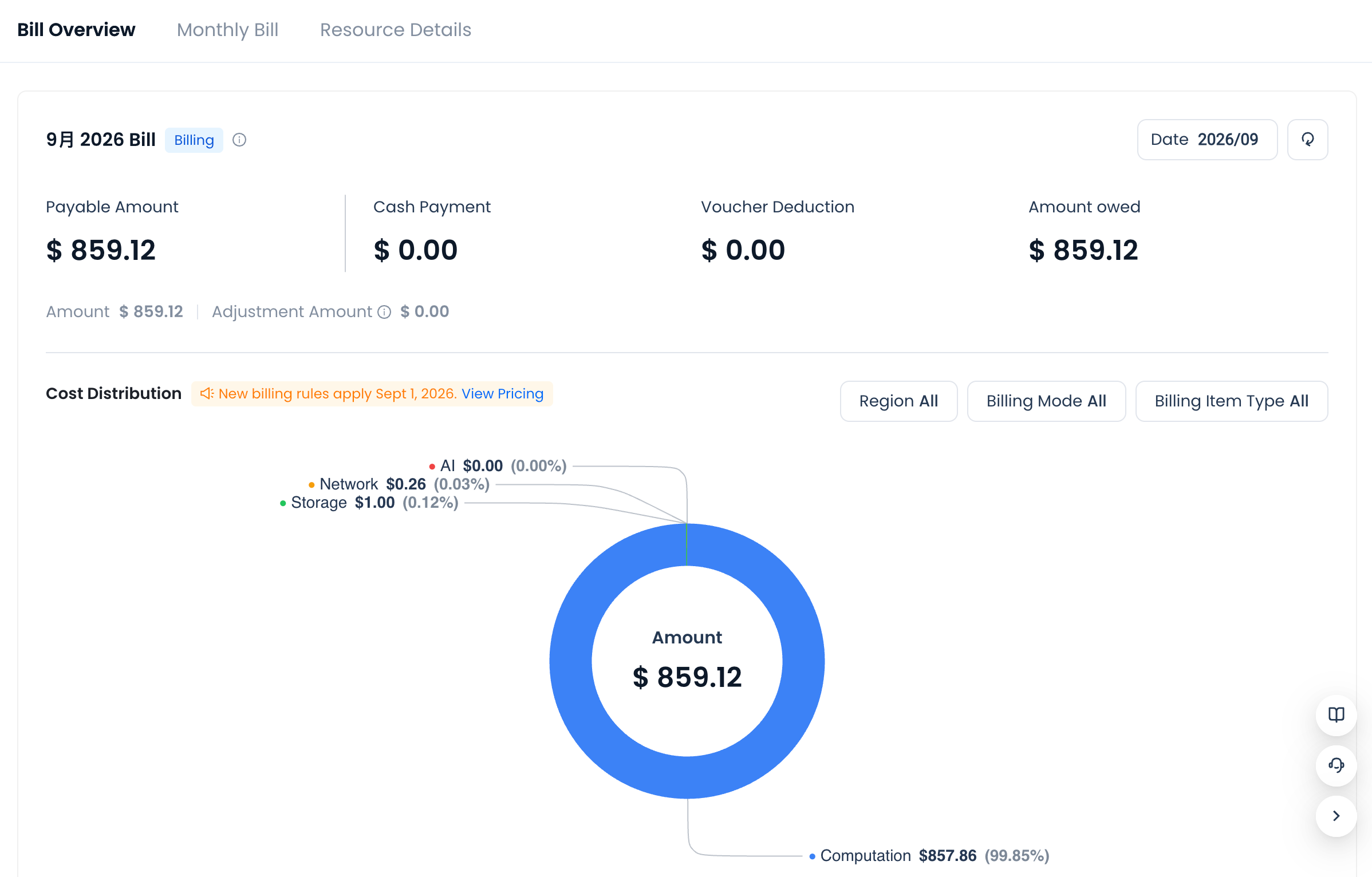
The final settlement cost of the current bill is the Payable Amount, which consists of the Amount generated by actual resource usage and the Adjustment Amount recorded in the current period. At settlement, the Payable Amount can be further broken down by payment status into three parts: the Cash Payment already deducted from the account balance, the Voucher Deduction written off with vouchers, and the Amount owed that has not yet been paid.
The bill status reflects the billing and settlement progress. Billing means the bill is still being generated and the data may continue to update; Unpaid means the Payable Amount has not been fully paid and an amount is still owed; Paid means the Payable Amount has been fully paid.
Cost Distribution supports filtering by Region, Billing Mode, and Billing Item Type, so you can view cost composition under different conditions. The cost trend shows how cost changes over time within the period.
Monthly Bill
The Monthly Bill lets you view the bill details and amount composition for a specified period. The page aggregates data by billing item type, showing the List Price, Comprehensive Discount Rate, Discounted Amount, Precision Diff, and Payable Amount.
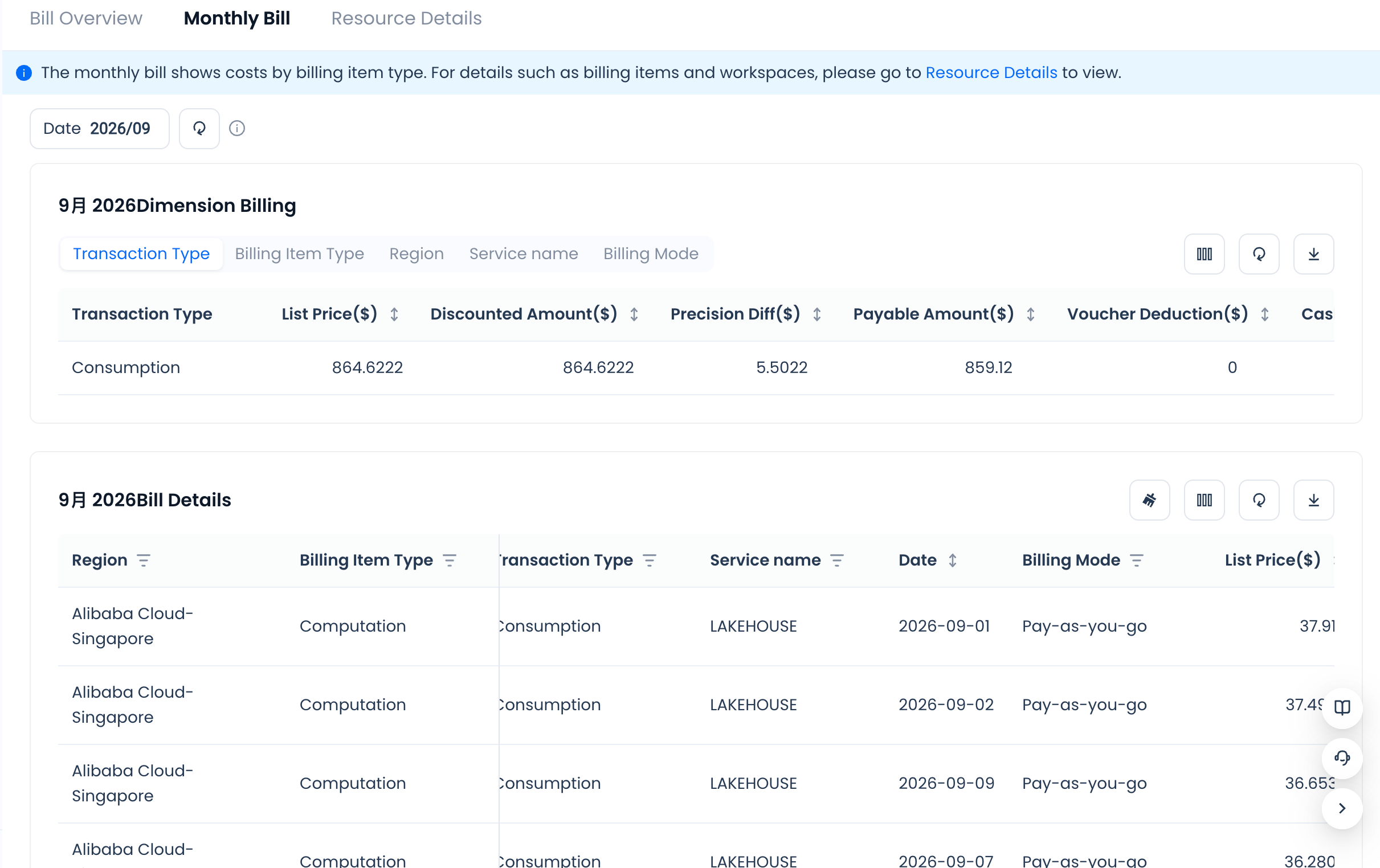
The List Price in the bill is the accumulated value of each cost item calculated in real time during the billing cycle (because each calculation keeps 4 decimal places, the daily aggregated amount may differ slightly from "daily usage × unit price"). When calculating the Discounted Amount, the system multiplies the List Price of each line item by its corresponding discount and then accumulates the total. Since the discount strength of line items under the same billing item type may differ, the page uniformly presents the weighted Comprehensive Discount Rate; you can go to the Resource Details page to look up the exact discount of each specific billing item.
Because the system deducts charges item by item in real time and rounds to the cent (2 decimal places), the Precision Diff is the accumulated tail difference produced by rounding each billing item separately under the same billing item type, rather than rounding the discounted total directly. The Payable Amount is the final amount actually charged, calculated as: Payable Amount = Discounted Amount − Precision Diff = Voucher Deduction + Cash Payment + Amount owed.
The Monthly Bill supports exporting the bill data for the period; the exact export content and file format are subject to the options actually provided on the page.
Resource Details
Resource Details lets you view finer-grained resource usage details and does not have reconciliation authority. You can customize the date range, filter the service types you want to view, and view the data through visual charts or a detail list. The Lakehouse service, in particular, supports viewing resource details across different regions and workspaces.
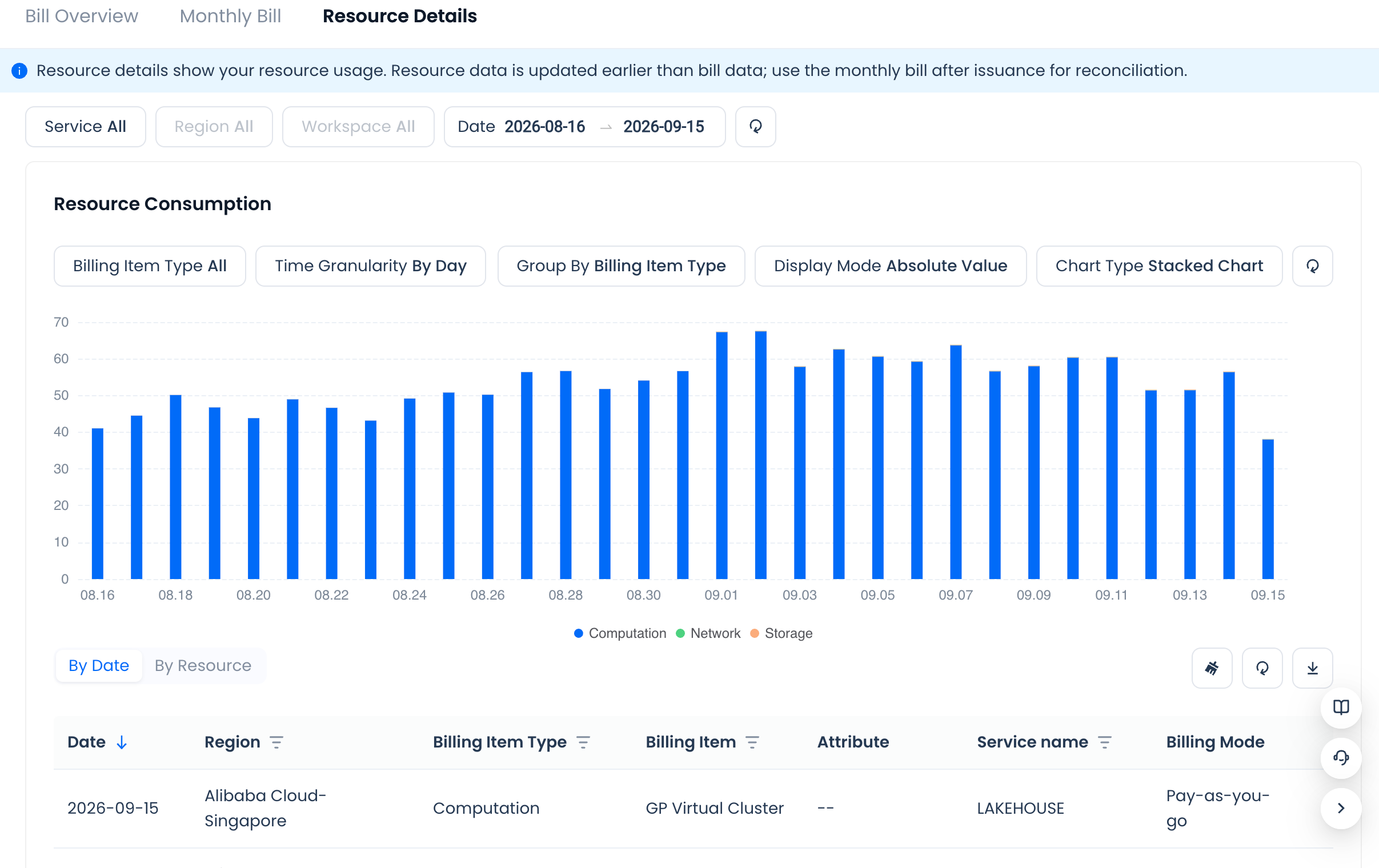
You can also filter by billing item type and adjust the time granularity, classification dimension, display mode, and chart type. Detail results can be viewed by date or by resource, with resource items aggregated by "billing item type → billing item → attribute", showing total usage, usage unit, and the corresponding List Price, Discount Rate, and Discounted Amount, so you can further locate specific resources and billing items. For the unit price and billing rules of each billing item, refer to Pricing and Billing.