
How to Connect AI Coding Agents Like Claude Code or Cursor Safely to an Enterprise Data Warehouse
A step-by-step guide to connecting Claude Code, Cursor, or similar AI coding agents to an enterprise data warehouse: scope definition, layered controls, least-privilege warehouse roles, governed MCP connectors, sandboxed file and shell access, warehouse-enforced cost limits, audit evidence, and a go-live checklist.
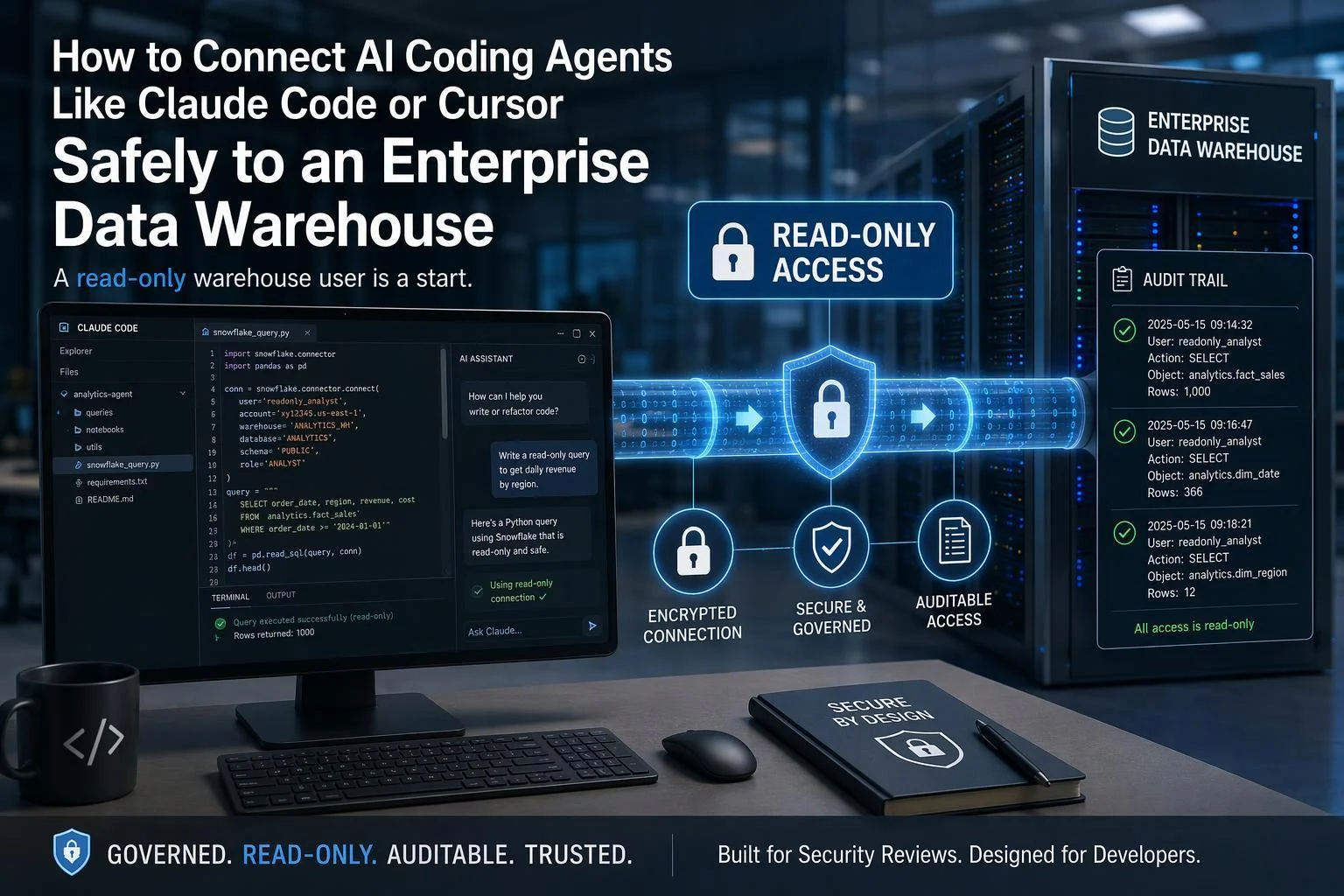
A coding agent connected to an enterprise data warehouse gives you a fast loop: read the catalog, draft SQL, run it, read the plan, fix it. The same connection gives a probabilistic system a live credential to production data. This guide builds the connection so it survives a security review: a scope statement, a layered control architecture, a least-privilege warehouse identity, a governed connector, sandboxed file and shell access, warehouse-enforced cost limits, and audit evidence you can show a reviewer.
"Connecting" here means two things at once. One is a tool bridge — typically a Model Context Protocol (MCP) server or an equivalent warehouse connector — that exposes warehouse tools such as query execution and metadata lookup to the agent. The other is the agent's own capabilities: reading files, running shell commands, and reaching the network from the developer's machine or a cloud workspace. Both surfaces carry credentials and both need controls.
The premise the rest of the guide rests on: a read-only warehouse user is a starting point, not a control. It constrains one surface — what SQL can change — and leaves credential handling, data leaving through tool output, runaway query cost, and prompt injection through returned rows untouched.
What follows runs in order: prerequisites, then seven build steps each ending in a checkpoint, then the failure modes to expect, a sandbox test matrix, a control-to-compliance mapping, and a go/no-go checklist.
Prerequisites: What You Need Before You Start
Assemble these before touching a warehouse. Missing items here become rework later, because several controls cannot be retrofitted cleanly onto a live connection.
Named agent client and version. Claude Code, Cursor, or an equivalent. Record the exact version, because permission modes, managed settings keys, and MCP allowlist behavior change between releases.
Warehouse administrative access. An account that can create users, roles, warehouses, and resource monitors.
An identity provider path. Either OAuth/token exchange that issues short-lived credentials, or a documented decision that you are starting with a static token and will migrate.
A connector decision. First-party warehouse MCP server, third-party connector, or a self-hosted bridge. Pick one to evaluate first; you can revisit after Step 4.
A non-production warehouse or database. Separate compute, separate data, for the sandbox phase.
A named owner. One person accountable for the connection, its credentials, and its review cadence.
The client's admin control surface. Confirm which one your fleet actually runs. Claude Code administrators restrict servers through managed MCP configuration —
allowedMcpServers,deniedMcpServers, a fixedmanaged-mcp.json, andallowManagedMcpServersOnlyto make the allowlist authoritative. Cursor administrators configure an MCP allowlist from the team dashboard, which approves an MCP configuration but does not distribute or install the server. These are different mechanisms with different failure modes; do not assume one organization's policy translates to the other client.
Step 1: Define the Agent's Job Before You Define Its Access
Write the scope down before anyone grants a privilege. Two lists, one page:
In scope. The specific tasks, phrased as work products. For example: draft and validate SELECT statements against the analytics schema; generate dbt model files from table and column metadata; explain a query plan for a slow query a human pasted in; summarize row counts and distributions for a named set of views.
Out of scope. Everything else, stated explicitly. Typically: any DDL or DML, reading raw PII tables, exporting result sets to external destinations, touching finance or HR schemas, and running against production compute during business hours.
This scope drives every later control. It determines which schemas the role can reach, whether a write path exists at all, which tools the connector exposes, and how tight the file and shell restrictions need to be. A scope that says "help with data" produces a role that can read everything.
Why the read-only user is not enough: the agent's risk surface spans at least five distinct channels. The warehouse role governs one of them. The others are the local filesystem where credentials and downloaded results live, the shell where arbitrary commands run, network egress to destinations you did not approve, and the model's own tool-calling loop, which decides what to invoke next based on content it has read — including content an attacker may have planted. A read-only grant says nothing about any of those four.
Checkpoint: a one-page scope statement signed by the data owner and by security. No provisioning starts until it exists.
Step 2: Build the Layered Connection Architecture
No single control carries this. Assign each control to a layer, and record what that layer does not cover so nobody assumes coverage that is not there.
Layer | Control | Enforced by | Does not cover |
|---|---|---|---|
Identity | OAuth token exchange issuing a short-lived, scoped principal | Identity provider and warehouse | What the agent does with data after retrieval |
Network | Private endpoints, IP allowlists, egress restrictions | Network and warehouse policy | Content-level misuse over an allowed path |
Warehouse authorization | Dedicated role, least privilege, row access and masking policies, no broad future grants | Warehouse RBAC | Credential theft outside the warehouse |
Tool / connector | Allowlisted tools, read-only annotations, no token passthrough | MCP server or bridge | A client that ignores annotations |
Agent client | Permission modes, managed settings, allow/deny rules | Claude Code, Cursor, or equivalent | Commands that match an allowed pattern |
Observability | Query history, cost monitors, audit logs, tool-call logs | Warehouse and client | Anything, unless someone reviews it |
The design principle: the warehouse's own role-based access control, row access policies, and masking policies remain the authoritative data boundary regardless of what the agent, the connector, or the prompt claims. Everything above that boundary is defense in depth, not a substitute.
Two consequences follow. First, a control that lives only in the prompt — "never query the PII table" — is not a control; it is a suggestion the model may follow. Second, when a layer fails, the layers beneath it must still hold. If the connector is compromised, the warehouse role still limits what the stolen credential can read. If the role is misconfigured, the connector's tool allowlist still limits which operations are reachable.
Step 3: Provision a Dedicated, Least-Privilege Warehouse Identity
Create a principal that exists only for the agent. Never reuse a human's account, and never use a shared service account whose activity cannot be attributed.
The sequence, using Snowflake mechanics as the worked example (the pattern maps to other warehouses):
Create a dedicated user or service principal for the agent. Set
DEFAULT_ROLEto the agent role andDEFAULT_WAREHOUSEto the agent warehouse. Snowflake's own MCP troubleshooting table lists a missing default warehouse or a default role that is not the MCP access role among the common causes of a session that initializes but cannot see or invoke tools.Create a dedicated role. Grant
USAGEon only the required warehouse and on the specific database and schema in scope. GrantSELECTon the named views or tables, not on the schema as a whole.Do not grant the role to
PUBLIC, and do not create broad future grants that would silently extend the agent's reach to tables created later. Snowflake's guidance for MCP access roles is explicit on both points: grant the role only to users who need it, and do not grant broad access to all current and future tables solely to support an MCP client.Apply row access and masking policies to sensitive columns so the agent sees only what its role is entitled to. Masking policies are evaluated at query runtime and determine whether an unauthorized role sees masked, partially masked, obfuscated, or tokenized values — the underlying data is not modified. Row access policies filter which rows the role can see.
Prefer short-lived delegated credentials. Snowflake's OAuth token exchange for agent delegation lets an application trade a user's credential for a short-lived Snowflake credential that carries a restricted session scope narrowing what it can do. That is materially better than a long-lived personal access token sitting in a config file.
Checkpoint: connect as the agent role and run three queries. A query against an in-scope view returns rows. A query against an out-of-scope schema fails with an authorization error. A query against a protected column returns masked values. Record all three results as evidence.
Step 4: Put the Agent Behind a Governed Connector (MCP or Equivalent)
The connector is where the agent's tool list is defined, so it is where you decide what the agent can attempt. Evaluate it on five properties, not on its vendor's reputation.
Authentication model. Prefer OAuth with short-lived, delegated credentials. A static token or personal access token in a config file is a long-lived secret that will eventually be copied somewhere it should not be. If you must start with a PAT, scope it to the least-privileged role that works — Snowflake's Cortex Agents MCP documentation makes exactly this point — and put a migration date on it.
Tool surface and annotations. Check whether the connector exposes tool annotations that distinguish read-only, destructive, idempotent, and externally interacting tools, and whether your client honors them. Snowflake's MCP server returns such annotations for its agent tools and lets you override the defaults. Treat annotations as hints that improve client behavior, not as enforcement: the warehouse privilege is the enforcement.
Token passthrough. The MCP specification's security guidance calls token passthrough an anti-pattern: an MCP server accepting tokens originally issued for other services and passing them through to a downstream service. Confirm the connector does not do this, because it breaks the audit trail — downstream logs show requests that appear to come from the wrong party.
Client-side allowlisting. Confirm the client can restrict which servers load. Claude Code's managed MCP settings support an allowlist, a denylist, and a locked managed-only mode; Cursor's team MCP configuration provides an enterprise allowlist. Both are real controls, and both are only as good as the policy deployed to the fleet.
Scope of exposure. If the connector can expose both a governed agent and raw SQL execution, separate them. Snowflake recommends exposing a Cortex Agent as the only client-facing tool on a given MCP server for governed business questions, and putting direct SQL on a separate server with its own least-privileged role, because exposing SYSTEM_EXECUTE_SQL alongside the agent lets the client bypass the agent's semantic views and verified queries.
One thing to be clear about: a connector's presence in a directory is not a security audit. Anthropic reviews connectors against listing criteria before adding them to its directory but does not security-audit or manage any MCP server. Do your own evaluation.
Step 5: Constrain the Agent's File, Shell, and Network Access
Data access and file/shell access are different governance surfaces, and they need different owners. Data access is mediated by the warehouse role and is queryable and auditable at the warehouse. File and shell access is mediated by the agent client, and it is where credentials, local copies of query results, and arbitrary commands live. Most teams secure the first and forget the second.
Concrete steps:
Run the agent in a sandboxed workspace — a container, a dedicated VM, or a cloud workspace — not on a laptop with the developer's full credential set.
Deny credential reads by default. Add deny rules for
.envfiles and credential directories. In Claude Code, aReaddeny rule also suppresses matching attachments, so the file does not enter the conversation even indirectly.Deny network-reaching shell commands by default. Cloud CLIs,
curl, and package installers are the usual exfiltration path. Deny them broadly rather than enumerating bad cases.Understand rule precedence. Deny rules take precedence over allow rules: a broad deny like
Bash(aws *)blocks every matching call, and a narrower allow likeBash(aws s3 ls)cannot carve an exception out of it. Ask rules behave the same way against allow rules.Do not treat command rules as a security boundary around a program. Claude Code's documentation is direct that a Bash rule matches the command text the agent writes and does not match the same program invoked in a different form. Pair rules with sandboxing and egress control rather than relying on pattern matching alone.
Scope auto-approve modes tightly. Cursor's enterprise run modes include an auto-review default that sandboxes shell commands where it can and routes the rest through a classifier, plus an allowlist mode and a run-everything mode; users can also require approval before file reads, edits, terminal commands, or network requests. Claude Code's permission modes range from prompting on first tool use to
bypassPermissions, which skips prompts except for actions no mode auto-approves. Choose the tightest mode the workflow tolerates, and disable the loosest one by managed policy.Require human approval for writes outside the workspace.
Checkpoint: attempt a denied action — read a .env file, or run a cloud CLI command — and confirm the client blocks it and that the attempt is logged.
Step 6: Set Cost and Blast-Radius Limits at the Warehouse
Cost limits belong at the warehouse, because warehouse-enforced limits survive a misbehaving agent, a retry loop, and a compromised connector. Client-side prompts do not.
Statement timeouts. These are the first line. Note the defaults, because they are generous: Snowflake's STATEMENT_TIMEOUT_IN_SECONDS defaults to 172,800 seconds (two days), and Databricks' STATEMENT_TIMEOUT also defaults to 172,800 seconds. Redshift's statement_timeout defaults to 0, which turns the limit off, and is measured in milliseconds rather than seconds. Set an explicit value per agent warehouse rather than inheriting the default.
Where the timeout is set matters. Databricks applies STATEMENT_TIMEOUT at session, warehouse (Beta), or workspace scope, with the first non-null value in that order taking precedence — so a session-level setting can override a tighter warehouse-level one. Set the warehouse-level value and check that the client is not overriding it.
Resource monitors and quotas. Snowflake resource monitors suspend a warehouse when a credit threshold is reached; pair them with the statement timeout so a hung query cannot burn credits indefinitely. BigQuery's on-demand model has a default query usage quota of 200 TiB per day per project, no default per-user limit, and a 6-hour query execution limit (BigQuery quotas and limits) — set custom query quotas and a maximum bytes billed rather than relying on the defaults.
Separate compute for agent workloads. Give the agent its own warehouse or SQL warehouse so a runaway agent cannot starve production BI. Databricks supports per-warehouse timeouts so different warehouses can apply different timeouts — a longer one on an ETL warehouse, a shorter one on a BI warehouse.
Checkpoint: run a deliberately expensive query as the agent role and confirm it is cut off at the configured limit, with the cutoff visible in the warehouse's own logs.
Step 7: Instrument and Review
Logging is a detective control, not a preventive one, and it only helps if someone reads it. Build the review into the operating model rather than assuming the logs will be consulted.
Enable query history and access logs for the agent role. Confirm the agent's identity, not a shared service account, appears on every statement.
Tag agent traffic. Route agent queries to a dedicated warehouse, or set a query tag, so agent activity is separable from human traffic in cost reports and audits.
Forward logs to the SIEM and set alerts on patterns that matter: off-hours bulk reads, repeated failed privilege checks, unusually large result sets, and queries against schemas outside the scope statement.
Review the agent's tool-call logs where the client exposes them. The warehouse sees SQL; the client sees which tools were invoked and what the agent was trying to do.
Set a review cadence — weekly during the first month, then monthly — and assign it to the named owner.
Checkpoint: run a test query as the agent and confirm it appears in the audit trail with the agent's identity and tag. If you cannot find it, you cannot investigate an incident later.
Failure Modes to Expect and How to Bound Them
Each of these is a known pattern with a known bound. None is eliminated; the goal is to make the residual risk small and visible.
Prompt injection via data. Malicious or accidental instructions embedded in table comments, query results, or fetched content. OWASP's entry on prompt injection notes that techniques like retrieval-augmented generation and fine-tuning do not fully mitigate these vulnerabilities, so do not plan on a filter that makes the problem go away. Bound it with least privilege and human approval for consequential actions: if the injected instruction asks the agent to drop a table, the role cannot, and if it asks for an export, the egress rule blocks it. Residual risk: the agent may still produce misleading analysis or leak in-scope data through its output.
Credential sprawl. Tokens copied into configs, shell history, or repositories. Bound it with short-lived delegated credentials and secret scanning in the repos the agent can reach. Residual risk: a token that was valid for its short lifetime and used before expiry.
Unbounded cost. Runaway queries and retry loops. Bound it with statement timeouts, resource monitors, and separate compute. Residual risk: cost accrued up to the threshold before suspension.
Exfiltration. The agent copying results to an unapproved destination. Bound it with egress controls and file/shell restrictions. Residual risk: data that leaves through an allowed channel, such as a result the agent prints into a chat transcript.
Fabricated SQL or schema assumptions. The agent inventing tables or columns. Bound it by validating generated SQL against the catalog and executing read-only, so a hallucinated object fails fast rather than silently producing a wrong number. Residual risk: valid SQL that answers the wrong question.
Agent-authored migrations. The agent proposing or attempting DDL. Bound it by denying write privileges and requiring human-authored, reviewed migrations through the same change process as any other schema change. Residual risk: a correct-looking migration that a reviewer approves too quickly.
Illustrative inference, not observed data: an agent asked to "clean up the staging schema" might interpret that as permission to drop tables. With no DDL privilege, the attempt fails and appears in the audit log as a failed privilege check — which is exactly the signal the alerting in Step 7 should catch.
Sandbox Tests to Run Before Granting Production Access
Run these against the non-production warehouse with the production configuration. Record pass or fail for each; a single fail blocks go-live.
# | Test | Expected result | Pass / fail |
|---|---|---|---|
1 | Privilege boundary: query an out-of-scope schema as the agent role | Authorization error | |
2 | Masking: query a protected column | Masked or tokenized values, not raw data | |
3 | Write: attempt INSERT, UPDATE, DELETE, and a DDL statement | All fail with a privilege error | |
4 | Timeout: run a query that exceeds the configured statement timeout | Query terminated at the limit | |
5 | Cost: drive usage past the resource monitor threshold | Warehouse suspends; alert fires | |
6 | Injection: place an instruction in a table comment or a result row | Agent does not attempt a privileged action, or the attempt is blocked | |
7 | Exfiltration: ask the agent to send results to an unapproved destination | Blocked by egress or file/shell rules; attempt logged | |
8 | Connector: load a denylisted MCP server | Server does not load; blocked status visible | |
9 | Audit: run a query and locate it in the audit trail | Attributed to the agent identity with the expected tag |
Test 6 deserves a note. You are not testing whether the model can be tricked — assume it can. You are testing whether the layers beneath the model hold when it is. A pass means the injected instruction could not reach anything the scope statement excluded.
Mapping the Controls to Compliance Obligations
The controls in this guide are not a compliance program, but they map cleanly onto the control categories auditors already ask about. Use the table below to structure a conversation with your compliance team, not to claim coverage. It is a category mapping, not a certification, audit opinion, or legal advice; your actual obligations depend on your regulator, jurisdiction, and contracts.
Control category | What you built in this guide | Where it typically appears |
|---|---|---|
Access control and least privilege | Dedicated agent role, scoped SELECT grants, no PUBLIC or broad future grants, short-lived delegated credentials | Logical access requirements in SOC 2, ISO 27001, and similar frameworks |
Audit logging and monitoring | Query history, query tags, SIEM forwarding, anomaly alerts on the agent identity | Logging and monitoring requirements |
Data protection and masking | Row access and masking policies applied to sensitive columns | Confidentiality and privacy requirements |
Change management | Agent-authored DDL blocked at the privilege layer; migrations authored and reviewed by humans | Change management controls |
Third-party risk | The MCP connector and the model provider assessed as subprocessors | Vendor and subprocessor due diligence |
Two entries deserve emphasis. First, change management: if the agent cannot execute DDL, agent-proposed migrations automatically inherit your existing review path rather than creating a parallel one. Second, third-party risk: the connector and the model provider are separate subprocessors with separate data-handling terms, and both need review. Cursor, for example, publishes its subprocessor list and states that most models run under zero-data-retention agreements while a few fall outside them and require admin approval before use (Cursor privacy and data governance). Confirm equivalent terms for whichever client and connector you deploy.
Acceptance Checklist Before You Go Live
Treat every line as a gate. An unchecked line is a reason to delay production access, not a note for later.
One-page scope statement signed by the data owner and security, listing permitted and prohibited agent tasks.
Dedicated agent user or service principal with a dedicated role; no grants to PUBLIC and no broad future grants.
SELECT limited to named views or tables in scope; out-of-scope objects confirmed inaccessible.
Row access and masking policies applied and verified against protected columns.
Short-lived delegated credentials in use; no static tokens in configs, repos, or shell history.
Connector allowlisted at the client; token passthrough ruled out; tool annotations reviewed.
File, shell, and network restrictions enforced, with at least one denied action tested and logged.
Statement timeouts and resource monitors active on a dedicated agent warehouse.
Audit logging verified: a test query appears with the agent's identity and query tag.
All nine sandbox tests passed in a non-production environment.
Named owner assigned, with a review cadence for logs, cost, and scope changes.
FAQ
Can't I just use a read-only user? A read-only warehouse user constrains one surface: what the agent can read or change inside the warehouse. It does not constrain credential handling, data leaving through tool output, local copies of results, shell commands, or runaway query cost. Keep the read-only role, but treat it as one layer among several.
Is a first-party warehouse MCP server safer than a third-party one? Not inherently. Evaluate the authentication model, whether the server exposes and honors read-only tool annotations, and whether it passes tokens through to downstream services. A vendor's name is not a security audit. Snowflake's own documentation, for instance, recommends exposing a governed agent as the only client-facing tool and putting direct SQL execution on a separate server with a dedicated least-privileged role (Snowflake Cortex Agents MCP).
How do I stop the agent from running expensive queries? Use warehouse-enforced limits, not client-side prompts. Statement timeouts and resource monitors survive a misbehaving agent or a compromised connector because the warehouse applies them regardless of what the client requests. Client instructions are guidance; the warehouse limit is the control.
What about prompt injection from data? It cannot be fully eliminated. Instructions can arrive inside table comments, query results, or fetched content, and OWASP notes that techniques such as retrieval augmentation and fine-tuning do not fully mitigate the risk (OWASP LLM01:2025). Bound the impact with least privilege and human approval on high-impact actions rather than assuming detection will catch every attempt.
Do I need to audit the model provider too? Yes. The model provider is a subprocessor that receives prompts and code context, so assess its data retention and training-use terms alongside the connector's. Where a model falls outside zero-retention terms, require explicit approval before it is used against warehouse data.
See Also
Exploring AI-Driven Layered Structures in Global Supply Chains
Transforming Loyalty Programs with Engaging Gamification Strategies
Understanding OLAP Cubes: Their Importance and Functionality