
What Are the Most Cost-Effective Alternatives to Databricks and Snowflake for Real-Time Analytics?
Compare cost-effective alternatives to Databricks and Snowflake for real-time analytics by latency tier, pricing meter, concurrency and operational burden, with a validation checklist for vendor claims.
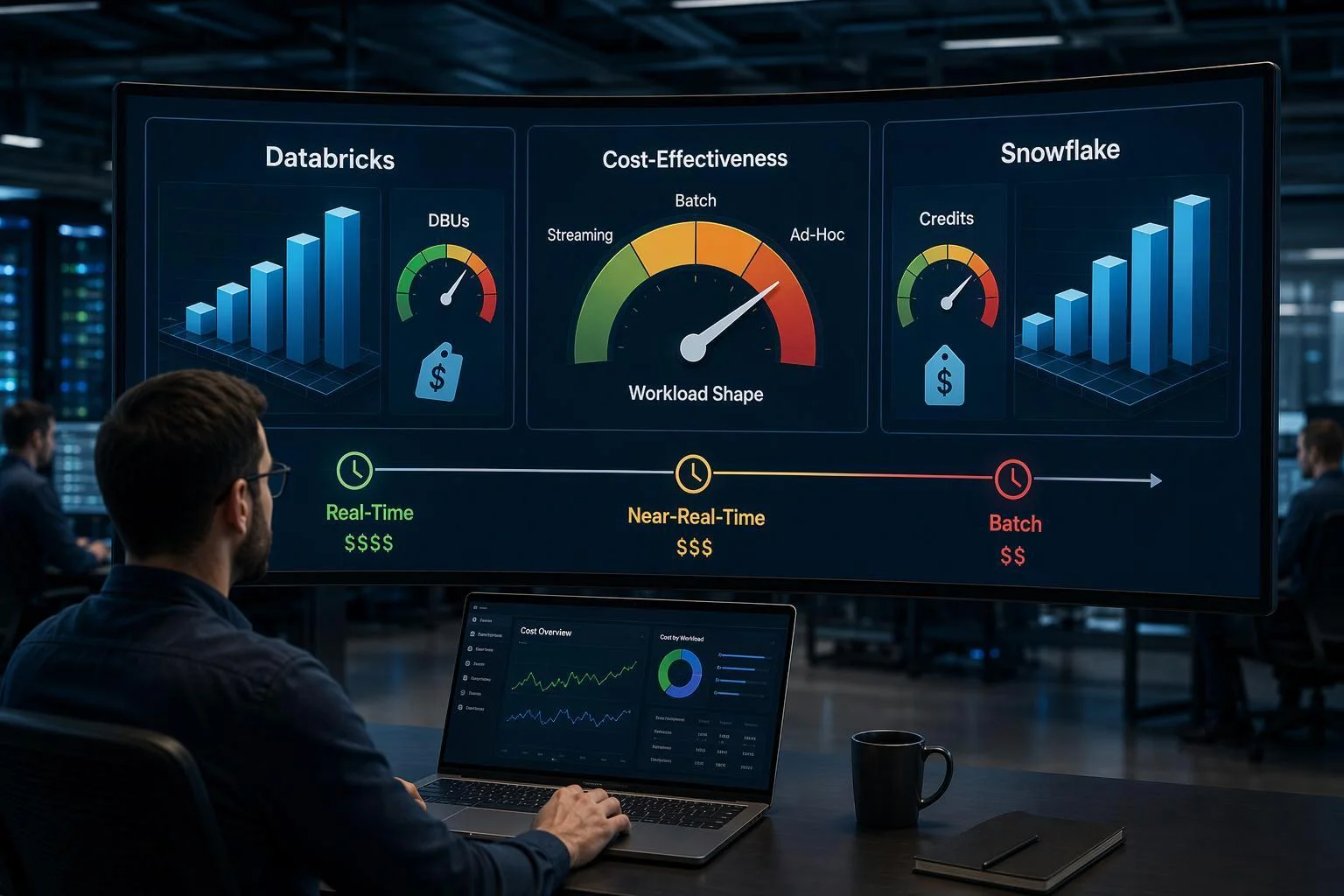
"Cost-effective" is not a ranking you can look up. It is a property of a specific workload meeting a specific billing meter. Databricks and Snowflake charge for real-time work in different ways — Databricks on DBU-rated compute and streaming clusters, Snowflake on warehouse credit-hours and Snowpipe Streaming — so the same pipeline can look cheap on one invoice and expensive on the other. "Real-time" compounds the problem because it spans at least three latency tiers, from sub-second operational serving to micro-batch pipelines that tolerate minutes of lag.
This article compares alternative categories rather than products: ClickHouse Cloud, Apache Pinot, Apache Druid, Trino over an open table format, BigQuery and Redshift, and the option of staying on the incumbents with disciplined cost controls. A summary matrix comes first for readers close to a decision, followed by reasoning per criterion — pricing meter fit, latency and concurrency, operational burden, architecture fit — then a decision framework, a validation checklist and a verdict. Vendor figures are treated as vendor-published claims to verify, not established fact. Staying on Databricks or Snowflake is a legitimate outcome and is evaluated on the same criteria as everything else.
Summary Comparison Matrix
Option | Latency tier it realistically serves | Primary pricing meter | Operational burden | Best-fit workload |
|---|---|---|---|---|
ClickHouse Cloud | Sub-second to seconds | Compute-unit-hours (1 CU = 8 GiB RAM, 2 vCPU), metered per minute; storage on compressed size plus backups | Managed, low-to-moderate | High-volume analytical serving and real-time aggregation; vendor-benchmarked, not independently verified |
Apache Pinot | Sub-second, high concurrency | Self-managed infrastructure, or managed service fees | High if self-managed | User-facing analytics and real-time dashboards; a serving layer, not a full lakehouse |
Apache Druid | Sub-second to seconds | Self-managed infrastructure, or managed service fees | High if self-managed | Clickstream, telemetry, metrics and OLAP-style exploration; a serving layer |
Trino over Iceberg/Delta | Seconds to minutes | Compute you run (self-managed or managed Trino) plus object storage | Moderate to high | Interactive SQL directly over open lake tables; federated queries |
BigQuery | Seconds to minutes | On-demand bytes scanned, or capacity slots | Low | Bursty BI and analytical SQL; on-demand pricing punishes repeated large scans |
Redshift | Seconds to minutes | Provisioned instance-hours, or Serverless RPU-seconds | Low to moderate | Warehouse-style BI with predictable concurrency |
Stay on Databricks/Snowflake with controls | Sub-second only where you pay for it | DBUs or credits, plus streaming and serverless line items | Low (already staffed) | Teams whose workload shape already fits the incumbent meter |
Read the matrix as a shortlist generator, not a scoreboard. Each row answers a different question: Pinot and Druid solve concurrency, Trino solves open-table access, BigQuery and Redshift solve managed warehouse SQL, and ClickHouse spans serving and aggregation. No row wins on every criterion, and the cheapest line item is rarely the cheapest system once engineering hours and migration are counted.
How "Real-Time" Changes the Cost Comparison
Databricks' own documentation draws the line this article uses. Structured Streaming on Databricks supports two processing modes: real-time mode, designed for sub-second operational workloads with end-to-end latency as low as five milliseconds, and micro-batch mode, the default, which balances compute cost against latency measured in seconds or minutes. The real-time mode concepts page adds the cost consequence directly: real-time mode "requires dedicated compute resources," and micro-batch mode is the recommended choice for cost optimization when sub-second latency is not required.
That single distinction reorganizes the whole comparison into three tiers. Sub-second operational serving covers fraud checks, personalization and user-facing dashboards where a query must return in milliseconds against fresh data. Seconds-to-minutes freshness covers dashboards and alerting where two minutes of lag is acceptable. Micro-batch analytical pipelines cover transformations and medallion-style ETL where minutes are the design target.
Conflating the tiers distorts cost in both directions. A team that needs two-minute freshness but buys a sub-second engine pays for dedicated always-on compute it cannot use. A team that needs sub-second responses but prices the workload against a micro-batch configuration will find the real bill far higher than the model. Before comparing vendors, write down the tier each pipeline actually requires — then price only engines built for that tier.
Pricing Meter Fit: How Each Platform Charges for Real-Time Workload Shape
Always-on ingestion is the stress test for any billing meter. Meters built for intermittent query bursts charge for idle capacity or for the privilege of staying warm; meters built for continuous load charge roughly in proportion to the work. The question is which shape your workload has.
Databricks bills compute in DBUs, with separate rates for different workload classes. In ClickHouse's published CostBench comparison, the modeled list rates for AWS eu-west-1 Premium were $0.39 per DBU for allocated ingestion and maintenance and $0.91 per DBU for Serverless SQL — figures ClickHouse publishes about its competitor, so treat them as a starting point to confirm against Databricks' own pricing rather than a settled rate card. Databricks' cost-optimization guidance itself recommends balancing always-on against triggered streaming, which acknowledges that continuous streaming compute is a distinct cost line.
Snowflake bills warehouse time in credits, and an always-on warehouse consumes credits whether or not it is doing work — the compute cost documentation notes warehouses can be overutilized or sit idle. Snowpipe Streaming adds an ingestion path with its own metering. Auto-suspend helps intermittent workloads; it helps less when ingestion never stops.
ClickHouse Cloud meters compute per minute and bills per compute-unit-hour, where one compute unit is 8 GiB of RAM and 2 vCPUs. Storage is metered on compressed size plus backups, and ClickHouse states that analytical data typically compresses around 10×, so 1 TB of raw data is often billed as roughly 100 GB. Both details come from ClickHouse's pricing page; the compression ratio is a vendor generalization, not a guarantee for your schema.
BigQuery offers on-demand pricing charged on bytes scanned, with a 300 TiB-per-month free tier on the bytes-read component, or capacity-based editions priced in slots. Google's cost best practices note that autoscaling reservations carry a one-minute minimum before scaling down unless fluid scaling is enabled — a detail that matters for spiky real-time queries.
Redshift offers Provisioned from $0.543 per hour and Serverless from $1.50 per hour, with Serverless billed per second and no charge during idle periods, per AWS's pricing page. Idle-friendly metering suits bursty BI; it suits continuous ingestion less well when the workgroup never idles.
The pattern: a meter that rewards idleness penalizes a workload that never idles. Match the meter to the shape before comparing rates.
Query Latency and Concurrency at Scale
Concurrency is where serving-layer engines separate from general warehouses. A warehouse sized for analytical scans can answer a real-time query quickly; the cost curve bends when hundreds or thousands of users hit it simultaneously and the warehouse must scale out or queue.
Runtime and modeled compute cost per query at 1 billion rows, as published by ClickHouse in its own CostBench comparison. All figures are vendor-published list-price models for a specific benchmark configuration, not independent measurements or invoice reconstructions; BigQuery on-demand is shown off the main comparison because its per-TiB scanned pricing places it far above the others.
Apache Pinot describes itself as a real-time distributed OLAP datastore that ingests from streaming and batch sources and makes data queryable with sub-second latency. Its documented key capability is queries returning "in milliseconds, even at hundreds of thousands of queries per second," with latency staying predictable as data volume and query load grow — subject to cluster sizing and expected throughput. Pinot's own documentation also names its limits: it is not a general-purpose transactional database and does not support row-level updates, deletes or ACID transactions, and a small dataset that fits in a single relational instance does not need it.
Apache Druid positions itself around clickstream analytics, network telemetry, server metrics, application performance metrics, digital marketing analytics and BI/OLAP — workloads characterized by high-cardinality event data and many concurrent slice-and-dice queries.
ClickHouse occupies similar territory with a broader analytical surface. In ClickHouse's own CostBench comparison, at 1 billion rows it reports ClickHouse Cloud at roughly 23 seconds and $0.67 per query, BigQuery Enterprise capacity at roughly 38 seconds and $0.80, Redshift Serverless at roughly 64 seconds and $0.85, Databricks Large at roughly 80 seconds and $0.62, and Snowflake Large at roughly 127 seconds and $0.85. The same post places BigQuery on-demand at roughly $16.9 for the same query — off the main chart — and shows smaller Databricks and Snowflake tiers trading speed for lower per-query cost.
Every one of those numbers is vendor-published by a party selling one of the compared systems. The methodology is disclosed and reproducible, which is worth something, but the ranking is not independent. Use it to decide what to test, not what to buy.
Operational Burden and the Hidden Headcount Cost
Self-managed open-source stacks move cost from a line item you can see to one you cannot. Pinot, Druid, Trino and self-hosted ClickHouse all require cluster operations, version upgrades, capacity planning, query tuning, on-call rotation and incident response. That labor is real, recurring and rarely appears in a vendor comparison.
A workable estimation framework, offered as an illustrative inference rather than observed data: list the recurring tasks (patching, rebalancing, schema and index tuning, monitoring, on-call), assign an engineer-hours-per-month figure to each based on your team's history with comparable systems, multiply by a fully loaded hourly rate, and add it to the infrastructure bill. For a self-managed serving layer with strict latency requirements, the labor line frequently rivals or exceeds the compute line — but the exact figure depends on your team's familiarity and your SLA, so measure it rather than assuming a percentage.
Managed offerings change the trade. ClickHouse Cloud, managed Pinot and Druid services, BigQuery and Redshift Serverless absorb much of the operational load and charge a premium for it. The premium is worth paying when it is smaller than the labor it displaces; it is not worth paying when your team already runs the stack well and the workload is stable.
One asymmetry deserves attention: operational burden scales with the number of distinct systems, not just their individual complexity. Bolting a serving layer onto an existing lakehouse adds a second platform to operate, monitor and secure. That cost belongs in the comparison.
Ecosystem Lock-In and Architecture Fit
The most common planning error in this comparison is treating "replace Databricks" as one decision. It is usually two: replacing the transformation and storage layer, and replacing the serving layer that answers real-time queries. Pinot, Druid and ClickHouse typically sit downstream of a lake, consuming from Kafka or lake tables and serving queries. Adopting one may replace only the serving tier while the lakehouse stays.
Open table formats change the calculus. Apache Iceberg is an open table format for huge analytic datasets that adds tables to compute engines including Spark, Trino, PrestoDB, Flink, Hive and Impala, with a published specification intended to ensure compatibility across implementations. Data written to Iceberg is not owned by the engine that wrote it. Trino's data-lake ecosystem documents the query-engine side of that path, including open catalog options.
That openness has a direct cost consequence: if your tables live in an open format, the query engine becomes more replaceable, and vendors compete harder on price and performance. If your data lives in a proprietary format, migration cost is a lock-in tax you pay at the exit.
Assess each option on three questions. Does it read your existing table format natively, or does it require a copy? Does it replace the whole platform or only the serving tier? And what is the one-time cost of moving pipelines, permissions and downstream consumers? Answer those before comparing hourly rates, because a cheaper engine with a costly migration is not cheaper.
Cost Controls on Databricks and Snowflake: The Cheapest Short-Term Path?
For many teams the cheapest near-term move is not migration at all. It is disciplined configuration on the platform already in place, and that option deserves an honest evaluation rather than a dismissive one.
On Databricks, the documented levers are concrete. The cost-optimization best practices recommend establishing compute sizing standards and policies at deployment, restricting GPU instances where workloads do not use GPU-accelerated libraries, using spot instances for work that tolerates eviction while keeping the driver on-demand, and evaluating whether Photon makes regularly run jobs both faster and cheaper. The same page recommends balancing always-on against triggered streaming — the single highest-leverage decision for a real-time pipeline, because it determines whether you pay for compute around the clock.
The largest lever is often the latency tier itself. Databricks documents that real-time mode requires dedicated compute and that micro-batch mode is the cost-optimization choice when sub-second latency is not required. A pipeline that actually needs two-minute freshness and is running in real-time mode is paying for latency nobody consumes.
On Snowflake, warehouse sizing and auto-suspend are the primary controls, with auto-suspend enabled by default. Snowflake's own warehouse considerations caution that larger is not necessarily faster — for small queries that already execute quickly, a bigger warehouse adds cost without adding speed. Right-sizing per workload, rather than per team, is the discipline.
Migration pays when the workload shape genuinely mismatches the incumbent's meter — sustained always-on ingestion against an idle-penalizing meter, or high-concurrency serving against a warehouse priced for scans. When the shape fits, configuration beats migration on cost and risk.
Decision Framework: Matching Workload Shape to the Most Likely Cost-Effective Option
The criteria above collapse into a decision path. Match the workload archetype first, then validate the candidate in your own environment before committing.
High-concurrency, user-facing sub-second analytics. Thousands of users hitting dashboards or embedded analytics with millisecond expectations. Serving-layer engines — Pinot, Druid, ClickHouse — are the likely cost-effective category because they are built for this load shape. Choose managed if operational labor is scarce; self-managed if the team already runs the stack.
Always-on streaming ingestion with moderate query load. Continuous ingestion where queries are frequent but not extreme. The decisive question is whether the incumbent's meter charges for idle capacity. If it does, a meter built for continuous load — ClickHouse Cloud, or a lakehouse with incremental processing — is the candidate to test.
Interactive lakehouse SQL over Iceberg or Delta. Analysts querying open tables directly. Trino over an open table format, or a lakehouse engine that reads those tables natively, avoids a copy and keeps the data portable. This archetype rarely needs a separate serving layer.
Bursty BI. Periodic reporting with long idle gaps. Managed warehouse options with idle-friendly metering — BigQuery capacity or on-demand, Redshift Serverless — fit the shape, and the incumbent may already fit it too.
Who should choose which. Teams with strict sub-second SLAs and high concurrency should shortlist serving-layer engines. Teams with continuous ingestion and moderate query load should test continuous-load meters. Teams standardized on open table formats should prioritize engines that read them natively. Teams whose workload already fits their current meter should fix configuration first. Every recommendation here is conditional on validation — the next section is how to do that.
Acceptance Checklist: Validating Vendor Cost and Performance Claims
Treat every figure in this article — and every number a vendor puts in front of you — as a claim to reproduce, not a fact to adopt. The checklist below is a validation method, not a guarantee that any option will come out cheaper. Run it before you sign, and run it again on the shortlist rather than on all six categories.
Reproduce your own workload, not a benchmark. Replay a representative slice of your actual ingestion rate, schema and query mix. Vendor benchmarks such as ClickHouse's 752× end-to-end performance-per-dollar claim against Databricks come from a specific stock-quote workload at a target of 1 million rows per second with matched 16-CPU read compute and caching disabled; your workload will differ on every one of those parameters.
Measure end-to-end freshness, not query time alone. Clock the interval from event production to a query returning that event. A fast query over a stale summary is not real-time analytics.
Reconcile row counts. Confirm that what arrived at the source equals what is queryable, including duplicates and late-arriving records.
Test at your concurrency. A single analyst's query and 500 simultaneous dashboard users are different products.
Model your actual always-on hours against each meter. Multiply your real duty cycle, not a round-the-clock assumption, by each vendor's published rate.
Include labor and migration cost. Engineering time to operate, tune and upgrade the stack belongs in the comparison.
Separate list-price models from invoices. Many published comparisons are modeled list-price costs, not historical invoice reconstructions.
Check what the benchmark excluded. Storage, idle capacity, network egress and post-ingestion maintenance are commonly outside the headline number.
Record each result with its date, configuration and the exact version tested. A shortlist that survives this process is defensible; one that survives a vendor slide deck is not.
FAQ
Is ClickHouse cheaper than Snowflake for real-time analytics?
Not as a general rule. ClickHouse meters compute per compute-unit-hour and storage on compressed size, which can favor always-on analytical serving; Snowflake meters warehouse time in credits. ClickHouse's own comparison prices Snowflake Enterprise at $3 per credit against $0.3903 per ClickHouse Cloud compute unit per hour, but that is a vendor-run benchmark on a specific ingestion workload. The answer depends on your duty cycle and query mix — model both meters against your own hours.
Can Apache Pinot or Apache Druid replace a data warehouse?
Generally no. Both are serving-layer engines: Pinot describes itself as a real-time distributed OLAP datastore for sub-second queries, and explicitly notes it is not a general-purpose transactional database and does not support row-level updates, deletes or transactions. Druid is designed for clickstream, telemetry and OLAP-style workloads. They typically sit downstream of a lakehouse rather than replacing it, so "replacing Databricks" may mean replacing only the serving tier.
When is staying on Databricks the right call?
When your workload already fits its meter and your configuration is undisciplined rather than your architecture being wrong. Databricks documents compute sizing standards, spot instances for suitable workloads, and balancing always-on against triggered streaming. If you are paying for real-time mode when micro-batch would meet your freshness target, fix that first — it is usually cheaper than a migration.
What is the cheapest option for sub-second dashboards?
There is no universal answer, but the shape of the decision is clear: sub-second, high-concurrency, user-facing analytics is the workload that serving-layer engines were built for, and it is the workload where general-purpose warehouse meters tend to scale least gracefully. Validate at your own concurrency before committing.
Do vendor benchmarks settle the question?
No. They establish what happened in a documented configuration. Use them to build a hypothesis, then reproduce it.
Verdict
There is no universal cheapest alternative to Databricks and Snowflake for real-time analytics, because "real-time" is not one workload and the two incumbents do not bill on the same meter. The cost-effective choice is a function of three things you can measure: the latency tier you actually need, the concurrency you must sustain, and whether you need a serving layer or a full lakehouse.
On the evidence reviewed here, the most likely winners by archetype are conditional rather than absolute. High-concurrency, sub-second, user-facing analytics points toward a serving-layer engine — ClickHouse Cloud, Apache Pinot or Apache Druid — sized and priced against your own query load. Always-on streaming ingestion with moderate query demand rewards whichever option lets you match duty cycle to meter, which may be a cost-controlled incumbent configuration. Interactive lakehouse SQL over open table formats points toward an Iceberg-compatible query path. Bursty BI rarely justifies a migration at all.
For many teams the cheapest near-term move is disciplined configuration on the platform they already run: right-sizing compute, choosing micro-batch over real-time mode where sub-second latency is not required, and enabling auto-suspend. Migration pays only when workload shape genuinely mismatches the incumbent's meter — and only after the acceptance checklist above has been run in your own environment.
Singdata positions its lakehouse as a unified, AI-ready platform spanning real-time lake integration, an AI-optimized warehouse and scalable Postgres, and publishes its own performance and TCO claims. Treat those the same way you should treat every figure in this article: as vendor-reported claims to validate against your workload, not as settled outcomes.
See Also
Exploring AI-Driven Layered Structures in Global Supply Chains
Transforming Loyalty Programs with Engaging Gamification Strategies
Understanding OLAP Cubes: Their Importance and Functionality