
Running Real Analytics Workloads on a 1 CRU Trial
Run real analytics workloads on a 1 CRU trial with tips on data size, speed limits, and best practices for effective analytics in clinical trial settings.

You can run real analytics workloads on a 1 CRU trial, but you should expect limits on speed and scale. In recent years, real-world data and AI have changed how you analyze information in clinical trials. This shift means you need tools that handle complex data and help you make faster decisions. If you work as a pharma data professional, clinical trial manager, or analytics engineer, you care about data quality, the right technology, and clear goals. The table below shows important things to think about before you start:
Key Considerations | Description |
|---|---|
Setting Clear Goals | Align analytics with business strategies and define key performance indicators (KPIs). |
Investing in Technology | Use the right tools for data collection, storage, and analysis. |
Importance of Data Quality | Ensure high-quality data for accurate analysis and insights. |
Integration of Data Sources | Combine different data types for better insights. |
Key Takeaways
Start small with your analytics projects on a 1 CRU trial. Test your queries on sample data to avoid slowdowns.
Choose suitable tasks for a 1 CRU trial, like exploring small datasets or running simple SQL queries. Avoid complex models that require more power.
Monitor your system's performance regularly. If queries take too long, consider reducing data size or simplifying your analysis.
Plan to upgrade your resources when you need to process larger datasets or run advanced analytics. This will help you achieve faster results.
Ensure high data quality by cleaning your data before analysis. This leads to more accurate insights and better decision-making.
Real Analytics Workloads on 1 CRU
Feasibility and Expectations
You can run real analytics workloads on a 1 CRU trial, but you need to know what to expect. A 1 CRU trial gives you a small amount of computing power. You can use it for basic tasks, but you will see limits if you try to do too much at once. You should not expect fast results when you work with large datasets. The system may slow down or even stop if you push it too hard.
Tip: Start with small projects. Test your queries on sample data before you use the full dataset.
You can use a 1 CRU trial to learn how the platform works. You can also use it to build simple reports or test new ideas. If you want to process millions of records or run complex models, you will need more power.
Suitable Workloads
You should choose the right tasks for a 1 CRU trial. Here are some examples of what works well:
Loading and exploring small datasets (less than 100,000 rows)
Running simple SQL queries or basic data summaries
Testing data connections and integrations
Building sample dashboards with limited data
Learning new analytics tools
You can use the 1 CRU trial for training or proof-of-concept projects. You can also use it to check data quality or try out new workflows. If you work in clinical trials, you can test how to join patient data with lab results on a small scale.
Task Type | Good for 1 CRU? | Notes |
|---|---|---|
Data Exploration | ✅ | Use small samples |
Simple Aggregations | ✅ | Fast with limited data |
Machine Learning Models | ❌ | Not recommended |
Large Data Joins | ❌ | May fail or run very slowly |
Dashboard Prototyping | ✅ | Use small datasets |
When to Scale Up
You should think about scaling up when your needs grow. If you see slow query times or errors, you may need more resources. Here are signs that you should upgrade:
Your queries take longer than a few minutes to finish
You need to process data with more than 100,000 rows
You want to run machine learning or advanced analytics
You need to support more users at the same time
Note: Upgrading to more CRUs gives you faster results and lets you handle bigger projects.
You can start with a 1 CRU trial to learn and test. When you feel ready, you can move to a larger environment for real analytics workloads in production.
1 CRU Trial Overview
Definition and Purpose
A 1 CRU trial gives you a small but powerful way to test analytics in a real-world setting. CRU stands for Compute Resource Unit. You get a limited amount of computing power, which helps you explore new tools or workflows without a big investment. Many people in clinical trials use a 1 CRU trial to check if their data systems work well. You can also use it to see how your team handles real analytics workloads before moving to a larger setup. This trial helps you learn, test, and build confidence in your analytics process.
Supported Data and Tools
You can work with many types of data on a 1 CRU trial. The most common data types include:
Data Type | Description |
|---|---|
Continuous | Data that can take any value within a range, often used for measurements like height or weight. |
Count | Data that represents counts of occurrences, such as the number of events or cases. |
Binary | Data with two possible outcomes, often used in yes/no or success/failure scenarios. |
Multinomial | Data with more than two categories, useful for outcomes with multiple classifications. |
Time-to-event | Data that measures the time until an event occurs, commonly used in survival analysis. |
You can use popular analytics tools such as SQL editors, dashboard builders, and data visualization platforms. These tools help you run real analytics workloads, even with limited resources.
Setup Steps
You can set up a 1 CRU trial for analytics in a few clear steps:
Build your infrastructure. Set up information systems, plan for data management, and make sure you follow safety rules.
Bring your team together. Train everyone so they know how to use the system and manage the site.
Add digital solutions. Use online tools to help patients join and stay in your study.
Try decentralized clinical trials. Give your team more flexibility by letting some work happen outside the main site.
Focus on patient education. Teach patients about the study in a way they understand.
Tip: Start small and test your setup with sample data. This helps you find problems early and keeps your analytics process smooth.
Run Analytics Workloads

Data Preparation
You need to prepare your data before you start any analytics project. Clean data helps you get accurate results. Start by checking your data for missing values or errors. Use a centralized data platform to keep all your files in one place. This makes it easier for your team to find and use the data. Real-time monitoring helps you spot problems quickly. You should also use standardized reporting formats so everyone understands the results.
Here are some best practices for preparing clinical trial data:
Best Practice | Description |
|---|---|
Real-Time Monitoring | Enhances efficiency and safety by allowing immediate detection and resolution of issues. |
Effective Communication | Ensures data is accessible and understandable, facilitating collaboration and informed decisions. |
Centralized Data Platforms | Reduces discrepancies by providing unified access to data for all team members. |
Regular Meetings and Updates | Keeps stakeholders informed and aligned on trial progress. |
Standardized Reporting | Enhances clarity and comprehension across teams through consistent data presentation formats. |
Training and Support | Ensures team members can effectively utilize data management tools through ongoing education. |
Tip: Hold regular meetings to keep everyone updated on your progress.
Configuring the Environment
You need to set up your analytics environment before running real analytics workloads. Choose the right tools for your project. Many teams use SQL editors or dashboard builders. Make sure your system has access to the data you want to analyze. Set user permissions so only the right people can change or view the data. Test your setup with a small dataset first. This helps you find problems early.
Install the analytics tools you need.
Connect your tools to your data sources.
Set up user roles and permissions.
Test everything with sample data.
Executing Analytics Queries
You can now run your analytics queries. Start with simple questions. For example, you might count the number of patients in a study or find the average age. Use small datasets to avoid slowdowns. If you see errors, check your data and your query. Build sample dashboards to show your results. Share your findings with your team using clear charts and tables.
Note: If your queries run slowly, you may need to reduce the data size or simplify your analysis.
You can use these steps to run real analytics workloads on a 1 CRU trial. This helps you learn and test before moving to larger projects.
Performance and Best Practices
Speed and Scale Limits
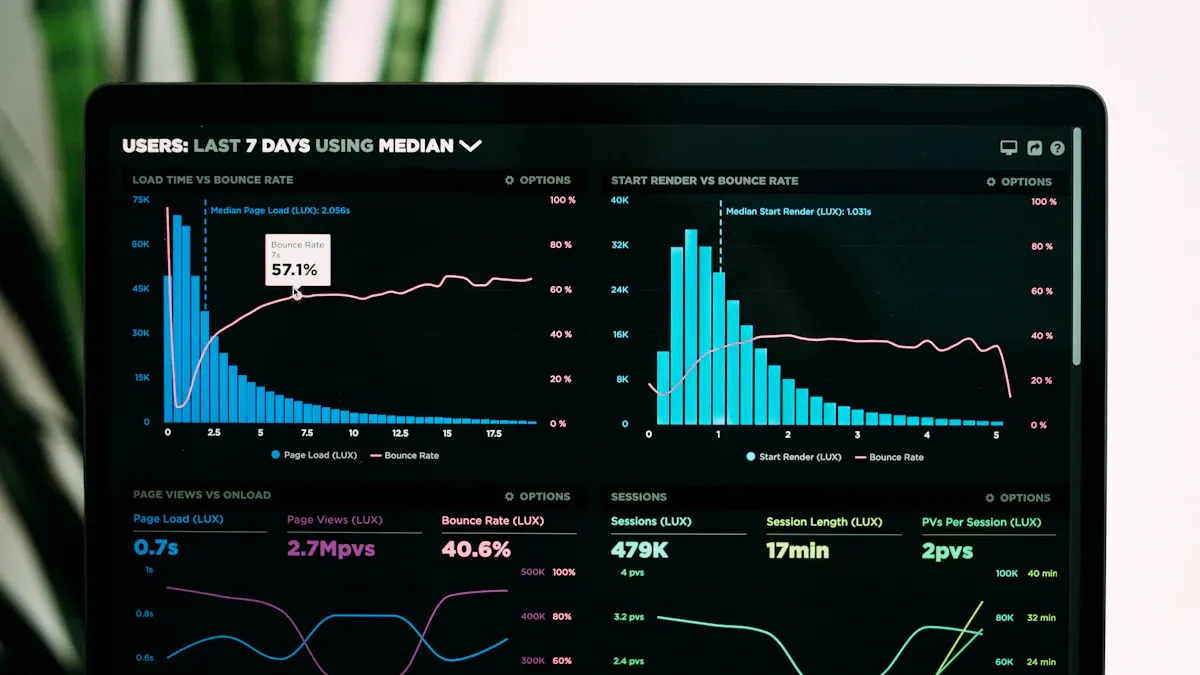
You will notice speed limits when you run analytics on a 1 CRU trial. The system works best with small datasets. If you try to process large files, you may wait a long time for results. The system can slow down or stop if you push it too hard. You should keep your queries simple. Avoid running many tasks at the same time. This helps you finish your work faster.
Tip: Start with a small sample of your data. Increase the size only if the system responds well.
Managing Resources
You can manage resources better by planning how you use the system. The CAPTAIN methodology gives you a way to book resources in advance. It uses a Booking Reservation Plan (BRPlan) to save space for different types of users. This plan works better than the First Available Slot (FAS) method, which does not look at user type and can waste resources. The CAPTAIN approach also uses scientific value to decide how to share resources. This helps you get the most out of your 1 CRU trial.
Method | How It Works | Benefit |
|---|---|---|
Booking Reservation Plan (BRPlan) | Reserves capacity for first visits by participant type | Better resource use |
First Available Slot (FAS) | Schedules based on next open slot, ignores participant type | Can lead to wasted resources |
CAPTAIN Objective Function | Allocates capacity based on scientific value and time constraints | Maximizes throughput and efficiency |
Efficiency Tips
You can boost efficiency by following a few simple steps:
Run one query at a time.
Use filters to limit the data you analyze.
Clean your data before loading it.
Schedule heavy tasks during off-peak hours.
Monitor system performance and adjust your workload as needed.
Note: Small changes in your workflow can make a big difference in speed.
Common Pitfalls
You may face some common problems when using a 1 CRU trial:
Trying to process too much data at once
Running complex models that need more power
Forgetting to clean or check your data
Not monitoring system usage
You can avoid these issues by starting small and checking your results often. Real Analytics Workloads need careful planning to run well on limited resources.
Troubleshooting and Next Steps
Addressing Challenges
You may face some challenges when running analytics on a 1 CRU trial. Slow performance, errors, or unexpected results can happen. To solve these problems, you should use a systematic approach. Start by understanding what normal system behavior looks like. This helps you spot when something goes wrong.
Keep detailed records of your steps and any changes you make. Good documentation helps you and your team fix issues faster in the future.
If you notice slow queries, check for any blockages or bottlenecks in your data flow. Sometimes, filters or connections can get clogged with too much data.
Use spare parts or backup tools if you suspect a component is not working. Swapping out parts can help you find the source of the problem.
Run system suitability tests often. Compare your current results to past benchmarks to see if performance has dropped.
Tip: Regularly review your analytics environment. Small checks can prevent bigger problems later.
Upgrading for More Power
At some point, your analytics needs may outgrow a 1 CRU trial. You should consider upgrading when you see slow query times, need to process larger datasets, or want to use advanced analytics features. Before you move to a higher-capacity platform, think about important factors like regulatory requirements, data quality, team experience, and communication.
Here are the recommended steps for upgrading to a more powerful analytics environment:
Prepare your organization for the upgrade.
Plan your data schema and architecture.
Create custom schemas in your analytics platform.
Set up new datasets for your expanded needs.
Add classification data if needed.
Create and configure data streams for data collection.
Integrate your analytics platform with other services.
Connect with optimization tools if available.
Implement new software development kits for better data handling.
Note: Careful planning and clear communication make the upgrade process smoother and help you avoid delays.
You can use a 1 CRU trial for real analytics workloads, but you will face limits with speed and data size. Many clinical trials struggle to use only real-world data, as shown by a study where just 15% could be replicated with EHR data. You should use a 1 CRU trial for learning, testing, or small projects. When you need more power, plan to scale up.
Real-world evidence helps you estimate patient numbers and refine study design.
You can spot strict criteria that may exclude patients.
For advanced analytics, explore larger environments and keep learning about new tools in clinical trials.
FAQ
What is a 1 CRU trial?
A 1 CRU trial gives you a small amount of computing power for analytics. You can use it to test tools, explore data, or learn new workflows before moving to a larger environment.
Can you run machine learning on a 1 CRU trial?
You should not run machine learning models on a 1 CRU trial. The system does not have enough power for complex tasks. Use it for simple queries or data exploration instead.
How much data can you analyze on a 1 CRU trial?
You can analyze small datasets, usually less than 100,000 rows. Large files may cause slowdowns or errors. Start with a sample of your data to test performance.
What should you do if your queries run slowly?
Try these steps:
Reduce your dataset size.
Simplify your queries.
Check for errors in your data. If problems continue, consider upgrading your environment.
See Also
Explore User Behavior Insights Using SQL and BI Techniques
Addressing Performance Challenges in BI Ad-Hoc Querying
Effective Basket Analysis Strategies for Retail Data Teams