
Singdata Lakehouse vs Databricks vs Snowflake: How the Pricing Models Compare
How Singdata Lakehouse, Databricks and Snowflake meter cost — CRU-hours vs DBUs vs credits — plus storage, transfer, workload-shape effects and a buyer checklist.
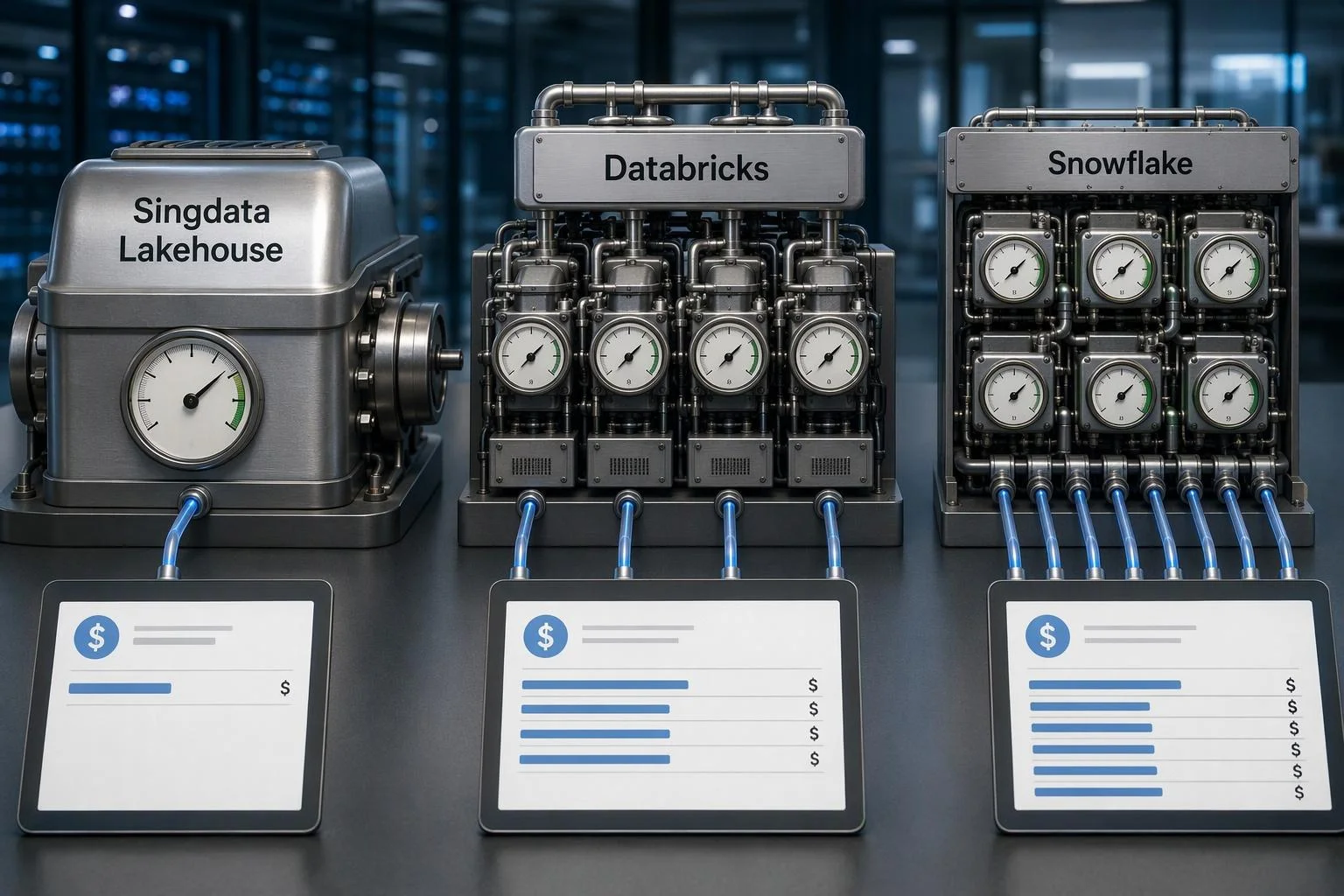
Singdata Lakehouse is a fully managed, cloud-native lakehouse that stores data on object storage in open table formats and runs compute in independent virtual clusters, billed as compute, storage and network transfer. Its pricing differs from Databricks and Snowflake less in headline rate than in what each vendor meters: Singdata bills CRU-hours, Databricks bills DBUs, and Snowflake bills credits. Those three units are not convertible without measuring your own workload, so the useful question is not which vendor is cheaper in the abstract but which metering model fits the shape of your queries, pipelines and storage.
The comparison below works through each cost dimension in turn, then applies the mechanics to idle, bursty and steady workloads, a labelled illustrative scenario, and a checklist you can run in your own environment.
Pricing Models at a Glance
The table compares meters and published mechanics, not totals. A cell marked "cloud provider" means the vendor does not set that rate itself.
Cost dimension | Singdata Lakehouse | Databricks | Snowflake |
|---|---|---|---|
Compute unit | CRU-hour, billed across virtual clusters and ingestion jobs | DBU, with a rate that varies by compute type, instance family, tier, cloud and region | Credit, consumed per warehouse size per hour |
Compute rate | 1.86 USD per CRU-hour (Enterprise); 1.24 USD per CRU-hour (Standard) | Varies by SKU; serverless typically 0.35–0.95 USD per DBU depending on product and tier | 2.00 USD per credit (Standard) and 3.00 USD (Enterprise) on AWS US East, per the consumption table |
Billing granularity | Cluster runtime; clusters suspend and stop billing when idle | Per second; serverless scales to zero | Per second with a 60-second minimum each time a warehouse starts |
Storage | 0.025 USD per GiB-month beyond an included allowance whose size the listing does not state | Largely cloud-provider object storage charges on classic compute; serverless DBU pricing bundles VM cost | Flat rate per TB per month on average daily on-disk compressed bytes |
Data transfer | 30 GiB outbound internet per month included, then 0.12 USD per GiB | Cloud-provider networking charges; serverless DBU pricing bundles VM cost | No ingress fee; egress charged per TB by region |
Entry terms | 14-day free trial; 30-day Starter Package for 1 USD; prepaid credits transitioning to pay-as-you-go | 14-day free trial; cloud resources in your own account are still billed by the cloud provider | Free trial signup; on-demand or prepaid capacity |
Discounting path | Annual enterprise procurement with discounts; volume discounts on request | Committed-use contracts, larger commitments yielding greater discounts across clouds | Capacity agreements with bulk credit discounts |
Read the table as a map of what each vendor measures. A low per-unit rate on a meter that your workload drives hard can cost more than a higher rate on a meter your workload barely touches. The rest of this article takes each row apart.
What Singdata Lakehouse Is
Singdata Lakehouse is a fully managed lakehouse data platform. Data is persisted to object storage — S3, OSS or COS — while compute runs in independent VClusters that are completely decoupled from storage. Multiple VClusters can read and write the same data without interfering with each other, each scaling and billing separately, and clusters suspend and stop billing when there are no queries while data stays accessible.
The storage layer is built on Apache Iceberg, with Delta Lake, Hudi and Paimon readable through external tables so existing lake assets stay queryable without migration. The compute layer runs a vectorized SQL engine built around a proprietary Generic Incremental Computation model, which unifies batch and stream processing under one paradigm: Dynamic Tables defined in standard SQL detect upstream changes and refresh incrementally rather than recomputing from scratch.
The architectural argument is consolidation. Rather than operating a lake, a warehouse and a streaming layer as three systems — commonly Spark plus Flink plus a data warehouse — Singdata runs one engine across all three workloads. That should reduce duplicated storage copies, duplicated compute and integration overhead, but the size of the reduction depends on how much duplication you actually carry today. It is an architectural argument, not a measured saving.
One billing scope point matters before any comparison. Singdata bills by product and resource type, and the Lakehouse bill covers only compute, storage and network transfer. AI Gateway is billed separately by tokens at model-dependent rates, and Analytics Agent is a subscription product with additional token usage fees. The Lakehouse invoice is one of three, so compare like with like.
Compute Metering: CRU-Hours vs DBUs vs Credits
Compute is where most of the money sits, and where the three models diverge most. Each unit prices a different quantity, so understand each on its own terms before attempting any comparison.
Singdata bills CRU-hours. Compute pricing applies to all virtual clusters and ingestion jobs at 1.86 USD per CRU-hour for the Enterprise edition and 1.24 USD per CRU-hour for the Standard edition. Edition choice therefore changes the rate directly, and a CRU-hour prices a defined compute resource unit for an hour of cluster runtime. Because clusters suspend when idle, the meter tracks runtime rather than provisioned capacity.
Databricks bills DBUs. A DBU is a Databricks unit whose dollar rate depends on at least six factors: cloud provider, region, subscription tier, instance family, compute type, and whether you hold a committed-use contract. Compute type alone can move the rate by 3x or more for the same instance type, and serverless DBU rates typically run higher than classic — commonly 0.35 to 0.95 USD per DBU depending on product and tier — in exchange for scaling to zero. Crucially, classic compute carries a second bill: your cloud provider charges separately for virtual machines, storage and networking, and Databricks' own calculator covers DBU costs only, not infrastructure.
Snowflake bills credits. A credit's dollar value depends on edition and region — 2.00 USD per credit for Standard and 3.00 USD for Enterprise on AWS US East (Northern Virginia), rising in other regions and for Business Critical. Warehouse size determines credits per hour, doubling with each size step from X-Small at 1 credit per hour to 6X-Large at 512. Billing is per second with a 60-second minimum each time a warehouse starts, and cloud-services usage is charged only when it exceeds 10% of daily warehouse usage.
The three units cannot be divided into each other. A CRU-hour prices a compute resource unit for an hour of runtime; a credit prices a warehouse-size-hour whose dollar value depends on edition and region; a DBU prices a SKU whose consumption rate varies by product and instance type. Each is a numerator over a different denominator. Converting between them requires your workload's consumption in each unit — measured, not assumed. Any ratio you see quoted is an assumption to test.
Storage and Data Transfer Costs
Storage and transfer are smaller lines than compute for most analytical workloads, but they are where comparisons most often go wrong.
Snowflake's own worked cost example bills storage on 65 TB of compressed data, against 325 TB before compression — a 5:1 ratio. Raw-data volume and billed storage volume are not the same quantity, which is why storage comparisons must use compressed bytes over identical retention windows. Source: Snowflake, Understanding overall cost (retrieved 2026-11-19).
Singdata bills storage at 0.025 USD per GiB-month beyond an included allowance. The listing does not state the size of that allowance, so the threshold at which the rate begins is not determinable from published material and must be confirmed with the vendor in writing. Outbound internet transfer includes 30 GiB per month, then 0.12 USD per GiB. Singdata retains historical data versions for the retention period to support Time Travel, and that multi-version storage is billable; result cache storage is charged as storage too.
Snowflake charges a flat rate per TB per month, calculated on the average number of on-disk bytes stored each day after compression. Time Travel and Fail-safe contribute to storage cost, and transient and temporary tables contribute until explicitly dropped, so retention settings change the bill. Ingress is free; egress is charged per TB by region.
Databricks does not set storage and transfer rates on classic compute — those are cloud-provider charges on the object storage and networking you use. For serverless services, the DBU cost already includes virtual machine costs, which is why serverless DBU rates look higher.
The comparison trap is compression and retention. Snowflake's own worked example stores 65 TB compressed against 325 TB uncompressed — a 5:1 ratio that changes the effective per-raw-TB cost by the same factor. Compare compressed bytes stored over the same retention window on all three platforms, and include historical versions and caches. A platform that looks cheap per raw terabyte can look expensive once versioning is counted.
Idle, Bursty and Steady Workloads
Workload shape, not list rate, decides most comparisons. Four patterns are worth modelling separately.
Spiky, low-volume queries. A pattern of frequent short queries pays Snowflake's 60-second minimum on every warehouse start, and pays Databricks' minimum billed compute on classic clusters that must spin up. Singdata's cluster-hold model bills runtime, so the same pattern pays for the time clusters are actually up. On this shape, the metering granularity matters more than the per-unit rate.
Steady, continuous pipelines. For 24x7 processing, the floor and the spin-up penalty stop mattering and the per-unit rate dominates. Here Databricks classic compute on reserved instances usually costs less than serverless, as the Flexera compilation notes, and Snowflake's continuously running warehouse pays per-second after the first minute. Singdata's CRU rate applies to the same continuous runtime, so the comparison reduces to CRU-hours against credits or DBUs for equivalent work — a measurement question.
Storage-heavy estates. Where data volume dominates and compute is light, per-TB and per-GiB rates decide the bill. Snowflake's flat per-TB rate on compressed bytes and Singdata's per-GiB-month rate are directly comparable once you normalise units and count versions; Databricks' storage cost is largely whatever your cloud provider charges for the underlying object store.
Streaming and CDC. A stack that runs Spark for batch and Flink for streaming pays for two engines on the same data. Singdata's single-engine argument is that one SQL engine with Dynamic Tables covers both, so the saving equals the duplicated compute you remove — which depends on how much streaming you actually run. Multi-cluster warehouses on Snowflake add clusters for concurrency, which raises credit burn during peaks but not between them.
No platform wins universally. Spiky low-volume favours fine-grained runtime billing; steady continuous favours the lowest per-unit rate on reserved capacity; storage-heavy favours the lowest per-TB rate; streaming favours the fewest engines. Model your own concurrency shape before assuming any of these is cheaper.
An Illustrative Worked Scenario
The following is an illustrative inference, not observed data, and it does not predict any reader's bill. It uses published list rates only and states every assumption.
Assumptions. A US East deployment; 20 TB of compressed data held for a month; one continuously running pipeline cluster for 730 hours; a BI workload of 200 short queries a day, each under a minute, on a warehouse that suspends between bursts; Standard editions throughout; no discounts; no infrastructure layer for Databricks.
Singdata. Compute at 730 CRU-hours × 1.24 USD = 904.80 USD, assuming one CRU-hour per cluster-hour. Storage at 20 TB = 20,480 GiB × 0.025 USD = 512.00 USD, assuming the included allowance is zero because its size is unpublished. Outbound transfer assumed nil. Software subtotal: 1,416.80 USD.
Snowflake. The 200 daily short queries each pay the 60-second minimum on an X-Small warehouse: 200 × (1/60) hours × 1 credit/hour ≈ 3.33 credits a day, about 103 credits a month, plus the pipeline warehouse. A continuously running X-Small warehouse for 730 hours consumes 730 credits; at 2.00 USD that is 1,460 USD. Storage at 20 TB × 23 USD = 460 USD. Subtotal: roughly 1,920 USD plus the short-query credits, about 2,126 USD.
Databricks. DBU consumption depends on the SKU and instance family chosen, which this scenario cannot fix without a specific configuration; the DBU line is therefore an assumption to test, not a computed figure. Add the cloud-provider VM, storage and networking bill on top, which the DBU rate does not include for classic compute.
Every figure above would move with discounts, the unpublished storage allowance, actual CRU consumption per cluster-hour, and the untested conversion between meters. Treat the arithmetic as a template for your own numbers, not a result.
How to Treat Vendor Performance and TCO Claims
Singdata publishes figures of 4x faster than Snowflake, 10x faster than Spark, 50% lower total cost of operation, and 80% lower architecture complexity. It also publishes comparisons claiming 3x–6x lower cost than Snowflake and 6x–12x lower than Databricks on benchmark workloads. All of these are vendor-reported, measured on specific benchmark configurations rather than your data, and should be treated as hypotheses for a pilot rather than established results.
The same skepticism applies in the other direction. Snowflake's and Databricks' own published comparisons, and their pricing calculators, are also vendor material with their own assumptions. A ratio that omits either the software or the infrastructure layer is not a cost comparison, whichever vendor produced it.
Two practical cautions belong in any decision record. First, Singdata has published a billing adjustment effective September 1, 2026, so re-verify current rates at decision time rather than relying on figures quoted in any earlier comparison, including this one. Second, validate any performance or TCO claim in a bounded pilot that measures the same quantities on the same units and concurrency, then reconciles the software line against the full infrastructure bill for the period.
Who Should Choose Which
No platform wins universally, so the honest answer is a set of conditions.
Singdata Lakehouse fits organisations that already hold Iceberg, Delta Lake or Hudi assets and want them queryable without migration; teams running both batch and streaming who want to collapse Spark plus Flink plus a warehouse into one engine; and buyers who want published per-unit rates and a pay-as-you-go path with no minimums. It loses where the unpublished storage allowance or an unverified CRU-to-workload ratio cannot be resolved before signing.
Snowflake fits organisations that need edition-gated governance — Business Critical adds private network connections, customer-managed encryption keys, HIPAA, PCI DSS and FedRAMP support, and cross-region failover — and teams whose workloads are steady enough that the 60-second floor is irrelevant. It loses where a spiky, low-volume query pattern pays that floor repeatedly, and where a higher edition's credit price raises the per-credit rate for a governance requirement.
Databricks fits teams already standardised on Delta Lake and Spark, and those who want serverless auto-scale-to-zero for bursty or infrequent workloads. It loses where the dual-billing structure — DBU charges plus cloud infrastructure — makes total cost hard to see, and where steady continuous workloads would be cheaper on reserved classic compute than on serverless.
The decision hinges on workload shape, existing table formats, streaming needs, regulatory edition requirements, procurement model preference and team skills. Name those before naming a vendor.
A Buyer Checklist for Your Own Cost Comparison
Run the comparison in your own environment rather than on list rates. This sequence is usable as an acceptance checklist.
Write the workload spec. Record data volume and monthly growth, query concurrency and its peak shape, the batch-to-streaming mix, retention window, egress paths, and the governance tier you actually require.
Map each item onto each vendor's meter. Convert the spec into CRU-hours, credits and DBUs using published rates and documented consumption behaviour. Where a conversion is not published — for example, how many credits a given query shape consumes — mark it as an assumption to test, not a fact.
Resolve the unpublished terms in writing. For Singdata, confirm the size of the included storage allowance, volume discount thresholds, committed-use terms and overage treatment. For Databricks, confirm the DBU rate for each SKU you will actually run. For Snowflake, confirm the credit price for your edition and region.
Compare compressed storage over identical retention. Count historical versions, Time Travel and Fail-safe windows, and caches on all three platforms.
Run a bounded pilot and reconcile. Use representative data rather than a synthetic benchmark, measure the same quantities on the same units and concurrency, then reconcile the pilot's software line against the full infrastructure bill for the period.
Record rates with dates. Note the date each rate was checked and the source page, because list prices and billing terms change.
Carry the same checklist into procurement: unit rates and dimensions confirmed against the listing, storage allowance confirmed in writing, both contract durations priced, infrastructure estimate built from your deployment design, and every negotiated term captured in a private offer rather than an email.
FAQ
Is Singdata cheaper than Snowflake and Databricks? Singdata publishes comparisons claiming 3x–6x lower cost than Snowflake and 6x–12x lower than Databricks on benchmark workloads. Those are vendor-reported figures measured on specific configurations rather than your data. Treat them as a hypothesis to test in a pilot that includes both the software and infrastructure layers.
What is a CRU versus a DBU versus a credit? A CRU-hour prices a defined Singdata compute resource unit for an hour of cluster runtime. A DBU prices a Databricks SKU whose consumption rate varies by product and instance type. A Snowflake credit prices a warehouse-size-hour whose dollar value depends on edition and region. They are not convertible without measuring your workload's consumption in each unit.
Does Singdata charge for idle compute? Singdata's documentation states that when there are no queries, compute clusters suspend and stop billing while data remains accessible. Confirm the autosuspend defaults and any minimum billing increment in writing before you model idle periods.
How do the free trials compare? Singdata offers a 14-day free trial with basic features and community support, plus a 30-day Starter Package for 1 USD that unlocks full features and 20 USD in usage credits. Databricks offers a 14-day free trial, but if you configure it against your own cloud account you are still billed by your cloud provider for resources used during the trial. Snowflake offers a free trial signup. Trial terms change, so verify them at signup.
Verdict
The three pricing models are structurally different, and no list-rate comparison settles which is cheaper for you. Singdata meters compute in CRU-hours at a published per-edition rate, Databricks meters DBUs whose rate shifts with compute type, instance family, tier, cloud and region, and Snowflake meters credits whose dollar value depends on edition and region. Each unit is a numerator over a different denominator, so converting between them requires your workload's measured consumption in each unit, not an exchange rate.
What decides the answer is workload shape. Spiky, low-volume query patterns pay Snowflake's 60-second minimum on every warehouse start and Databricks' minimum billed compute, while a long-running analytical cluster on Singdata pays for the instances it holds. Steady pipelines usually favor classic compute on committed-use or reserved terms; bursty and infrequent work usually favors serverless scale-to-zero. Storage-heavy estates turn on per-terabyte or per-GiB-month rates compared over identical retention windows, and streaming estates turn on whether one engine can replace separate Spark and Flink compute.
Two facts belong in any decision record before signing. First, Singdata's performance and TCO figures — 4x faster than Snowflake, 10x faster than Spark, 50% lower TCO — are vendor-reported and should be validated against your own baseline in a pilot that includes both the software and infrastructure layers. Second, Singdata has published a billing adjustment effective September 1, 2026, so re-verify current rates at decision time rather than relying on figures quoted in any earlier comparison, including this one. The same skepticism applies to any vendor's published comparison, including Databricks' and Snowflake's own cost examples.
If you want the shorter version: model your concurrency shape and retention first, map each workload onto each vendor's meter, mark every unpublished conversion as an assumption to test, and let a bounded pilot on representative data — reconciled against the full infrastructure bill — make the call. For a side-by-side walkthrough of the same five criteria applied to all three platforms, see our pricing comparison.
See Also
Exploring AI-Driven Layered Structures in Global Supply Chains
Transforming Loyalty Programs with Engaging Gamification Strategies
Understanding OLAP Cubes: Their Importance and Functionality