
Singdata Lakehouse Pricing vs Databricks vs Snowflake: A Buyer's Comparison Framework
A buyer's framework for comparing Singdata Lakehouse, Databricks and Snowflake pricing: CRU-hours, DBUs and credits, what each unit includes, how to normalize cost per workload, idle time, storage and transfer, discounts, and how to test vendor benchmark claims.
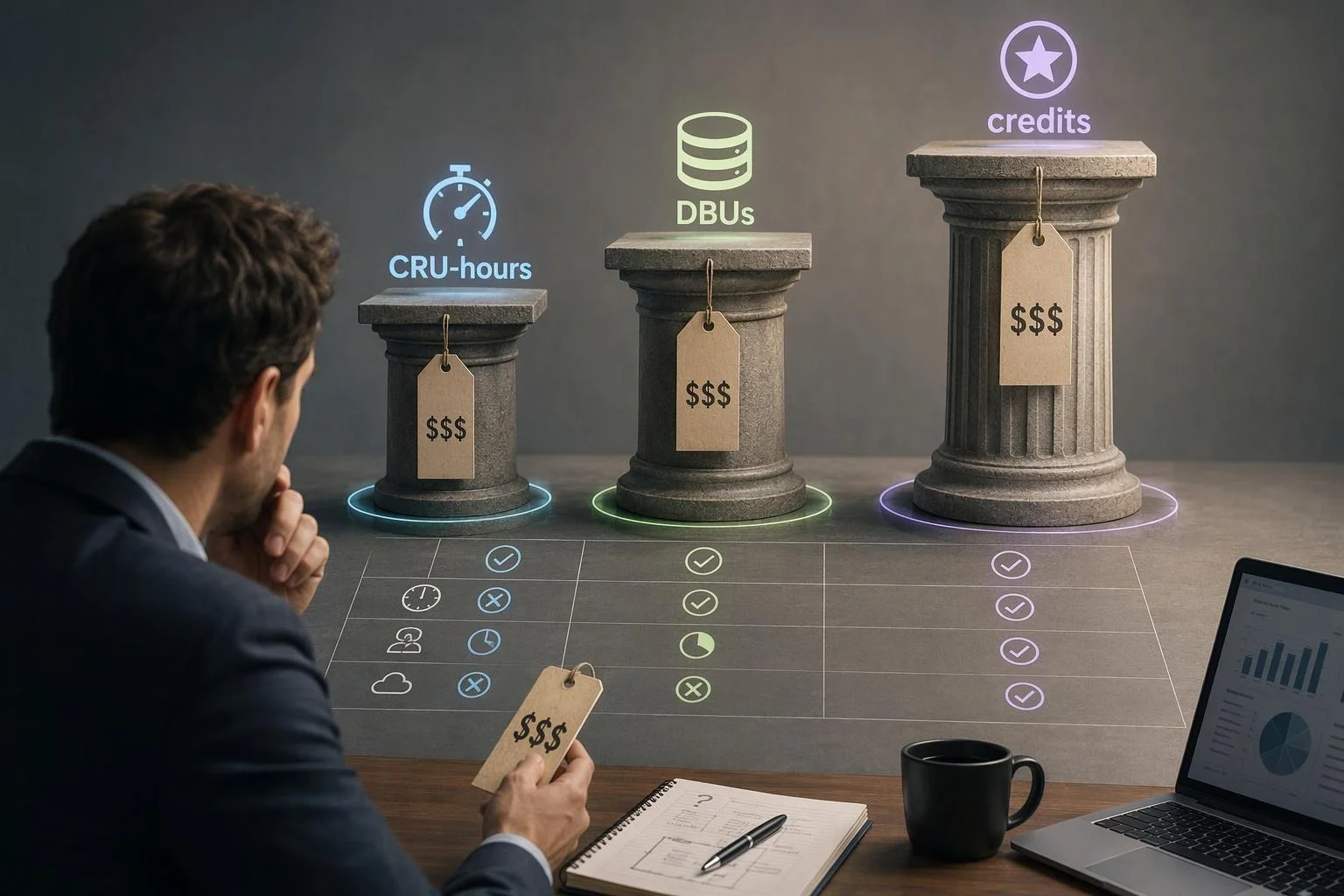
Comparing Singdata Lakehouse, Databricks and Snowflake on price is not the same as comparing them on cost. Each platform bills in its own unit — CRU-hours, DBUs, credits — and each unit covers a different basket of resources. A per-unit price list therefore tells you what one vendor charges for its meter, not what your workload will cost to run.
This guide works the comparison in the order a buyer actually needs it. First, a summary matrix of billing structures. Then each criterion in turn: unit structure, what the unit price includes, how to normalize onto one basis, idle-time behavior, storage and transfer, discounts, and how to read vendor benchmark claims. Every vendor figure here — including Singdata's own published comparisons — is a vendor-reported claim with stated conditions, not an established fact about your environment. Your normalized numbers decide.
Summary Comparison Matrix
The table below compares billing structures, not total cost. No column is a verdict, and several cells are region- or edition-dependent; confirm the applicable rate for your cloud and region before using any of them in a model.
Criterion | Singdata Lakehouse | Databricks | Snowflake |
|---|---|---|---|
Compute billing unit | CRU*hour, converted from computing power used × runtime | DBU, billed per second; rate varies by compute type and tier | Credits, billed per second with a 60-second minimum per warehouse start |
Compute formula | Runtime (h) × instances × CRU per instance-hour × USD/CRU-hour | DBU consumption × DBU rate for the SKU | Warehouse size credit rate × runtime × credit price for edition and region |
Cloud infrastructure in the unit price | Not applicable — Singdata operates the platform | Separate for classic compute (VMs, storage, networking billed by your cloud provider); bundled in serverless SKUs | Included in the managed service; storage and data transfer billed separately |
Storage basis | Storage duration (days)/30 × daily average GiB × USD/GiB/month; multi-version retained storage billed | Cloud-provider storage charges when using your own account; separate storage pricing category | Average terabytes per month after compression, including historical data |
Idle behavior | Runtime-based compute formula; confirm cluster idle behavior with the vendor | Classic compute: no DBUs while instances idle in the pool, but provider billing still applies; serverless designed to minimize idle time | Auto-suspend enabled by default; per-second billing with 60-second minimum |
Network / data transfer | Published per-GB rates by cloud and region; private-link fees charged by both Singdata and the cloud platform | Separate data transfer and connectivity pricing category | Data transfer tables by source and destination region; outbound PrivateLink priced per endpoint and per TB |
Discount mechanics | Pay-as-you-go or annual prepayment at a discounted unit price | Committed-use contracts; promotional pricing shown as distinct from list price | On-demand or pre-paid capacity, with capacity storage tiers |
Cost observability | Billing Center per product, cost management and anomaly alerts |
|
|
Read the matrix as a checklist of questions, not a scorecard. The rows that most often change the answer are infrastructure inclusion, idle behavior and data transfer — the three lines a quote is most likely to leave out.
Billing Unit Structure: CRU-Hours, DBUs and Credits
The three units differ in structure before they differ in price. Singdata bills compute in CRU*hour, converting the computing power used and the actual runtime into usage; its published formula is runtime (hours) × number of instances × hourly computing resource usage per instance (CRU*hour) × unit price (USD/CRU*hour). Storage uses a separate formula: storage duration in days divided by 30, multiplied by daily average storage in GiB and the USD/GiB/month unit price. Databricks bills in DBUs, a unit of processing capability billed at per-second granularity, with the DBU rate varying by compute type — Jobs, SQL Classic, SQL Pro, serverless, All-Purpose — and by tier. Snowflake bills in credits, also per second, but with a 60-second minimum each time a warehouse starts, and credit consumption scales with warehouse size.
Snowflake virtual-warehouse credit consumption per hour of runtime by warehouse size (Gen1 standard warehouses). Each size step doubles consumption, so a 6XL warehouse draws 512 credits per hour versus 1 for an X-Small. Credits are billed per second with a 60-second minimum per warehouse start, so a short query on a large warehouse still pays a full minute at that size's rate. This chart shows Snowflake's internal scaling only; it is not comparable to CRU-hours or DBUs.
Because each unit meters a different combination of resources, no single exchange rate converts one into another. A DBU on classic compute excludes the infrastructure your cloud provider bills; a Snowflake credit excludes storage and transfer; a CRU*hour is defined against Singdata's own cluster sizing. Convert at the workload level, never at the unit level.
What the Unit Price Actually Includes
Scope of inclusion is the criterion that most distorts naive comparisons, because a per-unit price across these models prices different baskets.
Databricks splits billing on classic compute. Azure's pricing page states that Azure Databricks bills for virtual machines provisioned in clusters and for DBUs based on the VM instance selected, and that while no DBUs are charged for instances idle in the pool, instance provider billing still applies. Serverless options move infrastructure into the platform's rate: Databricks documents that serverless compute runs workloads without provisioning compute resources in your cloud account, with Databricks allocating and managing them. Snowflake charges credits for virtual warehouses and bills storage and data transfer separately; cloud services usage is included up to a daily adjustment — no charge if daily cloud-services credits are at or below 10% of daily virtual-warehouse credits, with serverless features and SPCS compute excluded from that adjustment. Singdata bills three resource types for Lakehouse — compute, storage and network data transfer — and states that when dedicated lines, Private Link or similar products create cross-cloud, cross-region or cross-VPC connectivity, the link fees are charged separately by Singdata and by your cloud platform.
Before comparing any two unit prices, write down which of these lines each one already contains.
Normalizing Cost onto One Basis for Your Workload
Normalization is a six-step procedure, and it is only valid when the workload and configuration are held constant across all three platforms.
Fix the workload definition. Record the query mix, data volume, concurrency and schedule. A benchmark you cannot restate in these terms cannot be reproduced.
Measure or estimate runtime on each platform under comparable compute configurations. Note the sizing you chose and why it is comparable.
Convert runtime into compute cost using each vendor's published formula — CRU*hour, DBU rate for the specific SKU, or warehouse credit rate × credit price for your edition and region.
Add every non-compute line each vendor bills separately: storage on that vendor's basis, data transfer, and cloud infrastructure where it is not bundled.
Apply the discount or commitment terms actually offered to you, not the list price.
Express the result as cost per workload run and monthly total. Per-unit figures are not comparable; per-run and per-month figures are.
Vendor-published benchmark tables — including Singdata's, which list compute configurations and region — state the vendor's conditions. Read them as the vendor's stated setup, then substitute your own.
Idle Time and Utilization: Where Snowflake and Databricks Bills Diverge
Idle time is a first-order cost variable, and the three platforms price it differently enough that any comparison must state assumed duty cycles.
Snowflake bills warehouses per second with a 60-second minimum each time a warehouse starts, and auto-suspend is enabled by default, suspending a warehouse after a specified period of inactivity. Idle cost therefore depends on your suspend setting and warehouse size: a large warehouse left running accrues credits at its size rate, while a short query on a freshly started warehouse still pays the one-minute floor. Databricks classic compute behaves differently: DBUs are not charged for instances idle in the pool, but the cloud provider still bills for those VMs, so an idle cluster is not free — it is just billed by a different party. Databricks documents serverless compute as minimizing idle time by allocating and managing resources automatically. For Singdata, the published compute formula is runtime-based; confirm with the vendor how clusters behave when idle before you model duty cycles.
State your assumed duty cycle explicitly — hours running versus hours provisioned per day — or the comparison is not reproducible.
Storage and Data Transfer Charges
Storage and transfer are the lines quotes routinely underweight, and their billing bases differ.
Singdata Lakehouse published network data transfer rates, USD per GB, both editions. These are platform-side rates only: when dedicated lines, Private Link or similar products create cross-cloud, cross-region or cross-VPC connectivity, the cloud platform also charges its own link fees separately. Singdata publishes rates for these two regions only; confirm the applicable rate for your cloud and region.
Singdata bills storage as storage duration (days)/30 × daily average storage (GiB) × USD/GiB/month, and separately bills multi-version retained storage — historical data versions kept for the retention period to support Time Travel, which the documentation notes is not a charge for Time Travel queries themselves. Snowflake prices storage on average terabytes per month of all customer data, after compression, including historical data. Databricks charges storage through your cloud provider when you use your own cloud account, and publishes a separate storage pricing category. On transfer, Singdata publishes per-GB network data transfer rates by cloud and region — for example, 0.08 USD/GB on Alibaba Cloud Singapore and 0.12 USD/GB on AWS Singapore, for both editions — and notes that private-link fees are charged by both Singdata and the cloud platform. Snowflake publishes data transfer tables by source and destination region, plus outbound PrivateLink pricing per endpoint per 1,000 hours and per TB processed. Databricks maintains a data transfer and connectivity pricing category.
Every figure above is tied to a stated region and edition. Rates vary by region; re-check the table for yours.
Discounts, Commitments and Effective Rates
Discount mechanics change the effective rate, and comparing one vendor's discounted rate to another's list rate is a common and material error.
Singdata offers pay-as-you-go billing and annual prepayment at a discounted unit price lower than pay-as-you-go rates, with both editions supporting either billing method. Databricks offers pay-as-you-go pricing plus committed-use contracts that provide discounts as usage commitments grow, and its pricing page distinguishes list price from promotional discounts. That distinction is visible in its own tooling: the system.billing.list_prices table carries default, promotional and effective_list keys, where effective_list resolves list and promotional price and is the value used for cost calculation. Snowflake sells on-demand or pre-paid capacity, with capacity storage discounts published as a separate table in its consumption table. Azure Databricks adds another layer: pre-purchased Databricks Commit Units for one or three years are advertised at up to 37% savings over pay-as-you-go DBU prices.
Run the comparison at the commitment level you will actually sign, and record which rate — list, promotional or committed — each input to your model uses.
Evaluating Vendor Benchmark and Savings Claims
Singdata's comparison document publishes benchmark results with the conditions attached: SSB-FLAT 100GB, TPC-H 100GB and TPC-DS 1TB, each with durations, compute configurations (Singdata and Snowflake on XLarge 128 vCore, Databricks on Large), region (AWS Singapore) and a note that no special tuning was applied and default settings were used. Those are vendor-reported results under the vendor's stated conditions. They are reproducible in principle, because the configuration is disclosed — but a reproduced result is valid only for the configuration you reproduced.
The public record shows why self-validation matters. Databricks announced a 100TB TPC-DS record it described as formally audited by the TPC council; Snowflake responded that the comparisons involving Snowflake were not transparent, audited or reproducible, and published its own results and reproduction guidance; Databricks countered that Snowflake compared its cheapest offering against Databricks' most expensive SQL offering. Each party's claim is a claim. To attempt reproduction, match data generation, query set, compute sizing, region and tuning settings, log every deviation, and treat the outcome as valid only for what you actually ran.
What Vendor Quotes Typically Omit
Quotes tend to cover the platform unit and leave the surrounding lines implicit. The list below is drawn from the pricing documentation reviewed; for each item, the question to ask and the document to request.
Cloud infrastructure not bundled into the platform unit. Ask which SKUs include infrastructure and which bill through your cloud account. Request the SKU-level price list. (Databricks classic compute is the clearest case.)
Storage growth, including retained historical versions. Ask how historical versions and time-travel retention are billed. Request the storage billing documentation and a retention-policy default.
Data transfer and private connectivity, charged by both parties. Ask for per-GB rates for your cloud and region, and whether link fees are charged by the platform, the cloud provider, or both. Request the transfer pricing table.
Cloud-services overage beyond the included adjustment. Ask what falls outside the daily adjustment and whether serverless features are excluded from it. Request the consumption table.
Minimum billing increments. Ask for the minimum charge per start or per job. Request the compute-cost documentation.
Idle or pooled-resource charges. Ask what is billed while a cluster or warehouse is idle. Request the idle-behavior documentation.
Edition-tier feature gating. Ask which tier each required feature sits in. Request the edition feature matrix.
Commitment shortfalls. Ask what happens to unused commitment. Request the contract terms.
Acceptance Checklist for Validating Vendor Benchmarks
Use this checklist to test whether a benchmark applies to your environment. It validates applicability, not the vendor's honesty.
Workload definition documented: query mix, data volume, concurrency, schedule.
Data volume and generation method stated.
Compute configuration and sizing recorded for each platform, with the comparability rationale.
Region and cloud provider matched across platforms.
Tuning and default settings disclosed, including any deviations from vendor defaults.
Runtime and cost measured on the same basis (same clock, same cost lines).
Non-compute cost lines included: storage, data transfer, cloud infrastructure where unbundled.
Discount basis stated: list, promotional or committed rate.
Results reproduced at least twice, with variance noted.
Deviations from the vendor's stated configuration logged.
An item you cannot tick is a question for the vendor, not a reason to discard the benchmark.
Who Should Choose Which
Selection follows workload profile, not a ranking.
Teams whose workloads are dominated by bundled serverless compute and who value a single platform bill may weigh Databricks' serverless SKUs differently from classic compute, where infrastructure arrives on a second bill. Teams with highly variable, suspend-friendly warehouse workloads may find Snowflake's per-second billing with auto-suspend favorable, provided warehouse sizing and suspend settings are tuned. Teams that want a three-resource billing model — compute, storage and network transfer — with published per-GB network rates and a unified lakehouse scope can evaluate Singdata against their measured workload, using its published formulas to build the estimate.
The deciding variables are duty cycle, data-transfer volume, commitment level and edition requirements. Run the normalization on one representative workload and let your own numbers, not this article's, decide.
FAQ
Can CRU-hours, DBUs and credits be converted with one multiplier? No. Each unit prices a different basket of resources, so a single exchange rate has no consistent meaning. Convert through your workload instead: measure runtime and configuration on each platform, then apply each vendor's published formula.
Are Singdata's published comparisons reproducible? They state benchmark names, data sizes, compute configurations and region, so a reproduction can be attempted. Results remain specific to the reproduced configuration and tuning; treat them as the vendor's stated conditions rather than your own.
Why does a Databricks bill include cloud infrastructure on top of DBUs? With classic compute, the VMs, storage and networking run in your cloud account and are billed by your cloud provider, separately from Databricks' DBU charges. Serverless SKUs bundle infrastructure into the DBU rate.
How much does idle time cost on Snowflake? It depends on warehouse size, auto-suspend settings and the 60-second minimum per warehouse start. Credits accrue only while the warehouse runs, so sizing and suspend timing set the exposure.
What should we request from each vendor before signing? A written quote that itemizes every billed line, the applicable edition and region, the discount basis, and the metering or usage data behind the estimate.
Verdict
There is no universally cheapest platform among these three, because their billing structures price different baskets of resources. They diverge most on idle time, on data transfer and connectivity, and on whether cloud infrastructure is bundled into the platform unit. A comparison that sets one vendor's per-unit rate against another's therefore measures the pricing models, not your cost.
The defensible method is the one this article sets out. Normalize on a workload you can define and repeat, include every line each vendor bills separately, apply the rates actually available to you at your expected commitment level, and validate vendor claims in your own environment. Singdata's published savings and performance figures, like Databricks' and Snowflake's, are vendor-reported claims under stated conditions and deserve the same scrutiny.
One next action: run the normalization and the acceptance checklist against a single representative workload before you commit. That result, not any published comparison, is the number your decision should rest on.
Previous posts
https://www.singdata.com/company
https://singdata.com/trending/powerbi-date-difference-dax-calculations/