
Stream Backfill vs. Batch Backfill: What's the Fundamental Difference?
Stream backfill processes data in real time for instant updates, while batch backfill handles large data sets on a schedule for consistency and control.

Stream backfill processes data as it arrives, while batch backfill handles data in large, scheduled chunks. You use stream backfill for immediate updates, like fraud detection or live monitoring, because it works with high-frequency data and delivers real-time insights. Batch backfill suits tasks such as payroll or report generation, where you process data offline and prioritize consistency. Knowing when to use each method helps you boost efficiency and match technology to your business needs.
Key Takeaways
Stream backfill processes data in real-time, making it ideal for immediate updates like fraud detection.
Batch backfill handles large data sets at scheduled times, perfect for tasks that do not require instant results, such as payroll.
Choose stream backfill for fast insights and batch backfill for accuracy and control over large updates.
Always validate your data before and after backfilling to maintain consistency and avoid duplicates.
Match your backfill method to your business needs to optimize efficiency and resource use.
Definitions

What Is Stream Backfill?
Stream backfill lets you process old data using the same system that handles new, real-time data. You use this method when you want to fill gaps or recover missing records in a streaming pipeline. Stream backfill works by sending historical data through the same path as live data. This approach helps you keep your data fresh and up to date. You often see stream backfill used in situations where you need quick updates, like monitoring transactions or tracking website activity.
Tip: Stream backfill can help you avoid missing important events in your data, but you need to watch out for duplicate records and make sure your data format matches the current system.
What Is Batch Backfill?
Batch backfill means you process large amounts of historical data at once, usually on a set schedule. You use batch backfill when you want to update or fix data in bulk, such as running payroll or updating reports. This method works best when you do not need instant results. You send data through a separate process, often using different tools than your streaming system. Batch backfill gives you more control over timing and consistency.
Workflow Comparison
You can see clear differences in how stream backfill and batch backfill work:
Stream backfill sends historical data through the same streaming pipeline as live data.
Batch backfill processes data in chunks, often using a separate workflow.
Stream backfill usually appends data to a streaming table, while batch backfill may use different tables or storage.
You need to check for duplicate data and make sure your data matches the current schema when using stream backfill.
Batch backfill focuses on consistency and often runs offline, making it easier to manage large updates.
If you want to process data as soon as it arrives, stream backfill is the right choice. If you need to handle lots of data at once and care about accuracy, batch backfill works better.
Key Differences
Timing and Latency
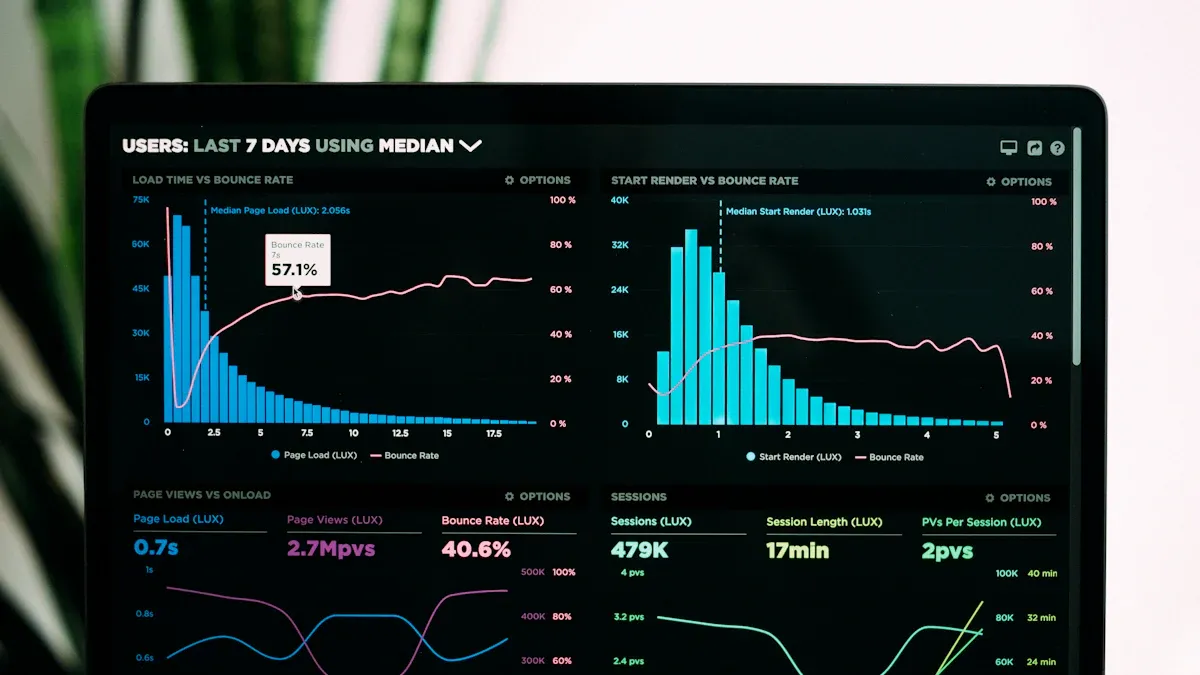
You need to think about timing and latency when choosing a backfill method. Stream Backfill processes data as soon as it enters the system. This means you get updates almost instantly. You can use this method when you want to fill gaps in real time or when you need to catch up on missed events quickly. Batch backfill works differently. You process large groups of data at scheduled times. This method does not give you immediate results. You may wait hours or even days for the process to finish. If you need fast insights, Stream Backfill works better. If you can wait for results, batch backfill is a good choice.
High data velocity can make Stream Backfill challenging. You may need to adjust your processing clusters to keep up with the speed of incoming data. Large data volumes can also slow down both methods, so you must manage resources carefully.
Data Consistency
Data consistency is important for both methods. You want your data to match your standards and stay accurate. Leading data platforms use several strategies to keep data consistent:
You must make sure backfilled data follows your current data rules.
You should backfill related data points together to keep everything in sync.
You need to check for duplicate records, especially with Stream Backfill, to avoid errors.
Batch backfill often gives you more control over consistency. You process all data at once, which makes it easier to spot and fix problems. Stream Backfill can introduce inconsistencies if you do not monitor the process closely. You should always validate your data before and after backfilling.
Complexity and Cost
You will find that Stream Backfill and batch backfill have different levels of complexity and cost. The table below shows how they compare:
Aspect | Stream Backfill | Batch Backfill |
|---|---|---|
Implementation Complexity | You need efficient strategies for handling large datasets and late data. | You often re-ingest entire datasets, which can be costly and time-consuming. |
Flexibility | You can update historical data and make corrections as needed. | You have less flexibility and usually process the whole dataset again. |
Impact on Performance | You maintain accuracy and completeness in real-time analytics. | You may slow down experimentation because you must reprocess all data. |
Batch backfill is often more cost-effective for large, infrequent jobs. You can schedule it during off-peak hours to save resources. Stream Backfill may require more computing power, especially when you process high-velocity data. You need to plan for extra resources to avoid overwhelming your systems.
Use Cases
You should match your backfill method to your business needs. The table below shows common use cases in e-commerce and financial services:
Industry | Stream Processing Use Case | Batch Processing Use Case |
|---|---|---|
E-commerce | Processes checkout events | Orchestrates order fulfillment, inventory updates, invoicing |
Financial Services | Detects anomalies in transactions | Handles account holds, investigation workflows, regulatory reporting |
You use Stream Backfill when you need recent insights, such as monitoring transactions or tracking website activity. Batch backfill works well for tasks that do not need instant results, like generating reports or updating large datasets.
Tip: You should always monitor your backfill operations. Validate your data, use idempotent operations, and track progress to keep your data quality high.
Pros and Cons
Stream Backfill: Advantages and Disadvantages
You can use stream backfill to keep your data fresh and your dashboards up to date. This method gives you results in seconds or milliseconds, so you see changes right away. You get immediate responses, which helps when you need to spot fraud or track live events. Stream backfill lets you fill gaps in your data without slowing down the system. You can keep your analytics current while backfilling older records.
Advantages:
You see updates almost instantly, which improves data freshness.
Your system stays responsive, even when you backfill older data.
You can prioritize new data while still catching up on missing records.
Your dashboards reflect the latest information, so you make better decisions.
Disadvantages:
You may need extra computing power to handle high-speed data.
Duplicate records can appear if you do not monitor the process closely.
You must match your data format to the current system, which adds complexity.
Your costs may rise if you process large volumes in real time.
Tip: Always check for duplicate data and validate your results to keep your analytics accurate.
Batch Backfill: Advantages and Disadvantages
Batch backfill works best when you want to process large amounts of historical data. You can run jobs during off-peak hours, which saves resources. This method puts less strain on your database, so your main applications run smoothly. If a batch fails, you only need to re-run that part, not the whole dataset. You can monitor progress easily and spot bottlenecks. You control the rollout by starting with small batches and increasing size as you gain confidence.
Advantage | Description |
|---|---|
Reduced DB Load | Smaller transactions mean less strain on your database. |
Resilience | You only re-run failed batches, not the entire job. |
Observability | You can track progress and find problems quickly. |
Controlled Rollout | You start small and scale up as you test the process. |
Disadvantages:
You wait longer for results, so you do not get instant updates.
Your system may need to pause other jobs during large batch runs.
You have less flexibility to fix small errors quickly.
You may need extra storage for temporary files.
Note: Batch backfill helps you keep your data consistent, but you must plan for downtime and storage needs.
Choosing the Right Backfill Method
Decision Criteria
You should choose your backfill method based on your business goals, technical needs, and the type of data you handle. Ask yourself these questions:
Do you need real-time updates or can you wait for results?
How much data do you need to process at once?
Does your system need to scale for large data volumes?
How important is data consistency for your use case?
What resources do you have for monitoring and error handling?
If you want immediate insights and your system must handle high-speed data, Stream Backfill works well. This method supports horizontal scaling, so you can run multiple streams for different data chains. You can also optimize data delivery with batching and compression. If you need to process large amounts of historical data and want more control, batch backfill is a better fit. You can schedule jobs during off-peak hours and focus on data quality.
Tip: Always match your backfill method to your business needs and technical limits. This helps you avoid wasted resources and keeps your data reliable.
Real-World Scenarios
You can see how these methods work in practice by looking at common projects:
In large data warehousing projects, teams often use batch backfill. They start by analyzing data quality, then clean and transform the data. They process records in batches, automate the workflow, and check results after each batch. They also set up logging and monitoring to catch errors. Teams document each step and review the process for future improvements.
When you switch from batch to Stream Backfill, you may face challenges. Data can get lost if you finish backfilling before starting the stream. Buffering data to filter duplicates can fail if events arrive late or out of order. Running both methods at the same time without coordination can cause double counting.
In e-commerce, you might use Stream Backfill to keep checkout data fresh and batch backfill for inventory updates. In finance, you use Stream Backfill for fraud detection and batch backfill for regulatory reports.
Note: Always plan your transition between methods. Monitor for gaps, duplicates, and errors to keep your data accurate.
You choose stream backfill for fast updates and batch backfill for large, scheduled jobs. Your decision depends on your goals and technical limits. Experts recommend you set clear goals, track progress, and focus on quality candidates:
Set measurable targets.
Monitor and adjust often.
Technical constraints also shape your choice:
Technical Constraint | Impact on Backfill Selection |
|---|---|
Interoperability between systems | Can cause inefficiencies in data processing |
Data consistency maintenance | Makes accurate, deduplicated data harder to achieve |
Operational impacts of architectures | Raises costs and time for implementation |
You should always match your method to your business needs and system limits.
FAQ
What is the main reason to choose stream backfill?
You choose stream backfill when you need fast updates. This method helps you see changes in your data right away. You use it for live dashboards or real-time alerts.
Can you use both stream and batch backfill together?
You can combine both methods. You use stream backfill for quick fixes and batch backfill for large updates. This approach helps you keep your data fresh and accurate.
How do you avoid duplicate data during backfill?
You check your data before and after backfill. You use unique IDs for each record. You set up alerts to catch duplicates early.
Tip: Always validate your results after every backfill job.
Does batch backfill slow down your system?
Batch backfill can slow down your system if you run large jobs during busy hours. You schedule batch jobs at night or during low-traffic times to avoid problems.
🕒
See Also
Understanding Data Pipelines: A Comprehensive Introduction
The Role of Apache Kafka in Efficient Data Streaming
Four Key Algorithms for Scalable Daily Replenishment