
Data Source Management
Data sources are the foundation for Analytics Agent to perform data analysis. You must first connect your database to the system before Analytics Agent can answer questions based on that data.
Navigation Entry
Left navigation bar → Management → Data Sources
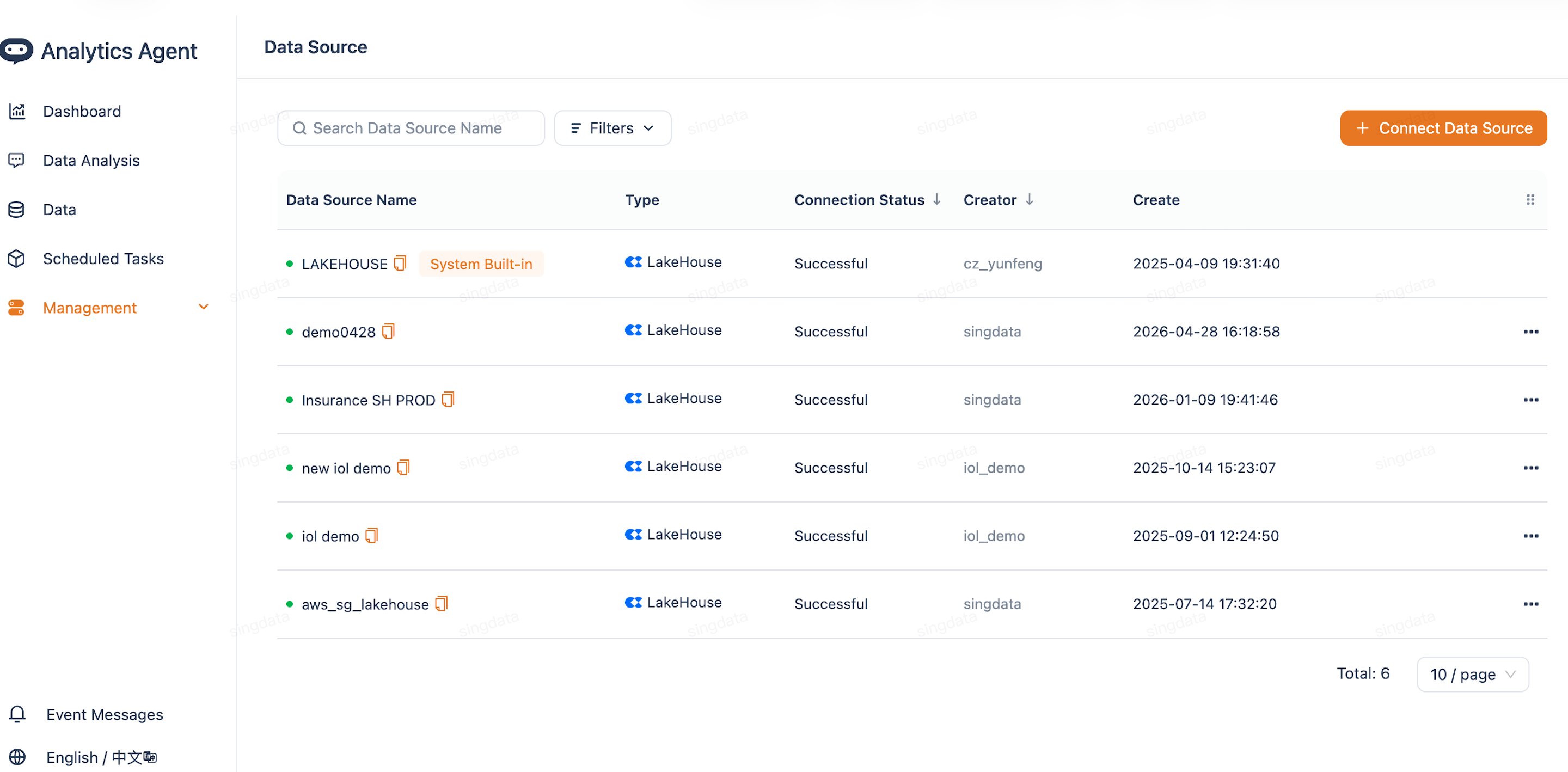
Supported Data Source Types
Click + New Data Source in the upper right corner and select a data source type:
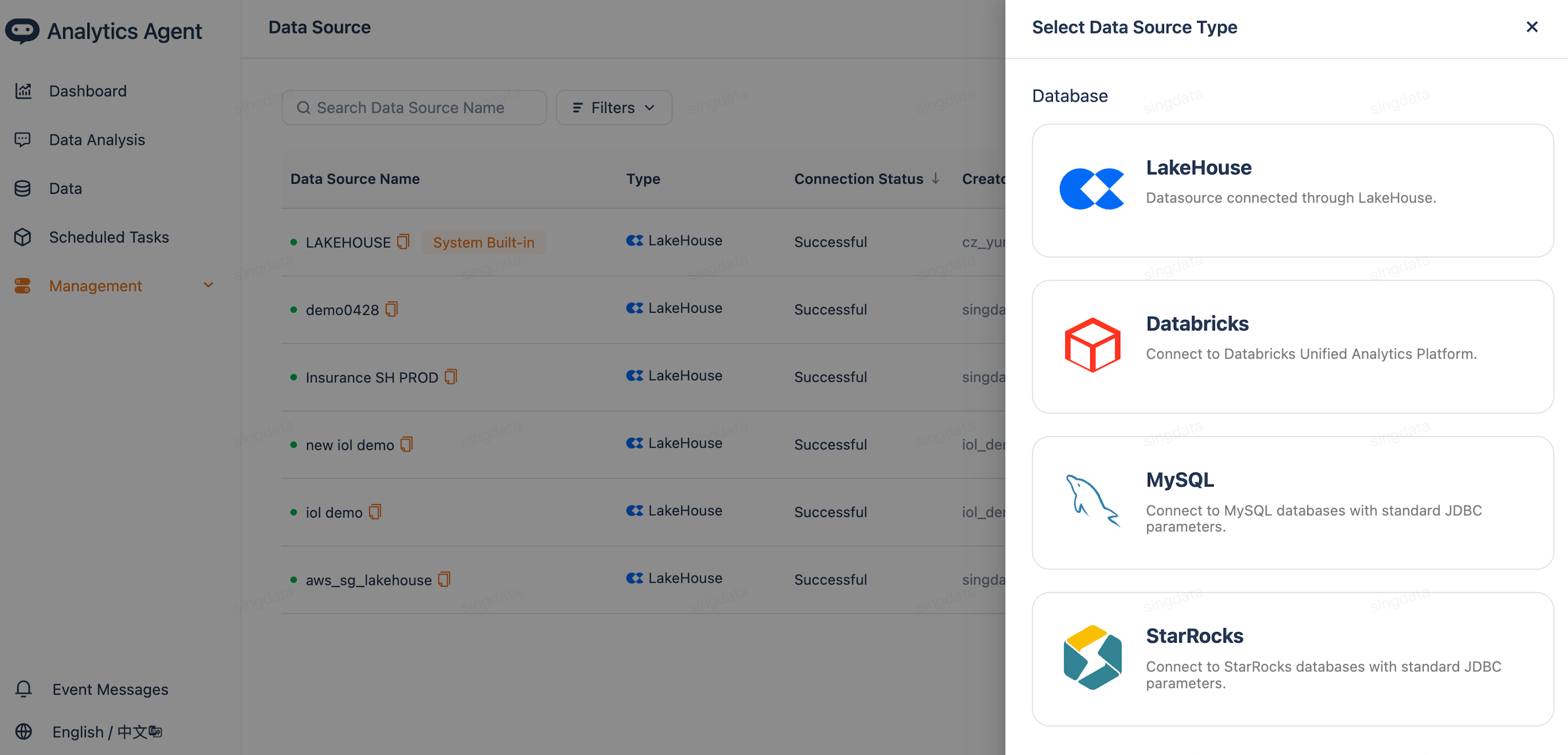
| Type | Applicable Scenario |
|---|---|
| LakeHouse | Singdata Lakehouse instance |
| Databricks | Databricks data platform |
| MySQL | MySQL database |
| StarRocks | StarRocks database |
Configuration Guide
LakeHouse
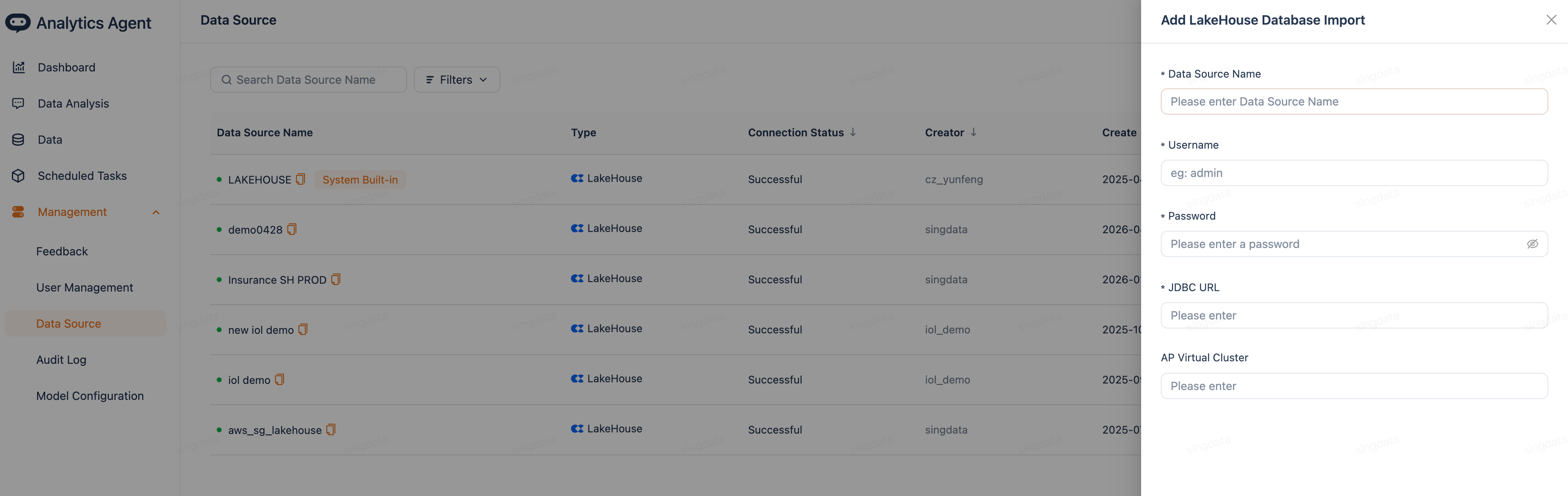
| Field | Description |
|---|---|
| Data source name | Must be unique within the system |
| Username | Database username |
| Password | Database password |
| JDBC URL | Connection address, format: jdbc:clickzetta://[host]/[workspace] |
| AP Virtual Cluster | Name of the analytical Virtual Cluster; defaults to DEFAULT if left blank |
MySQL / StarRocks
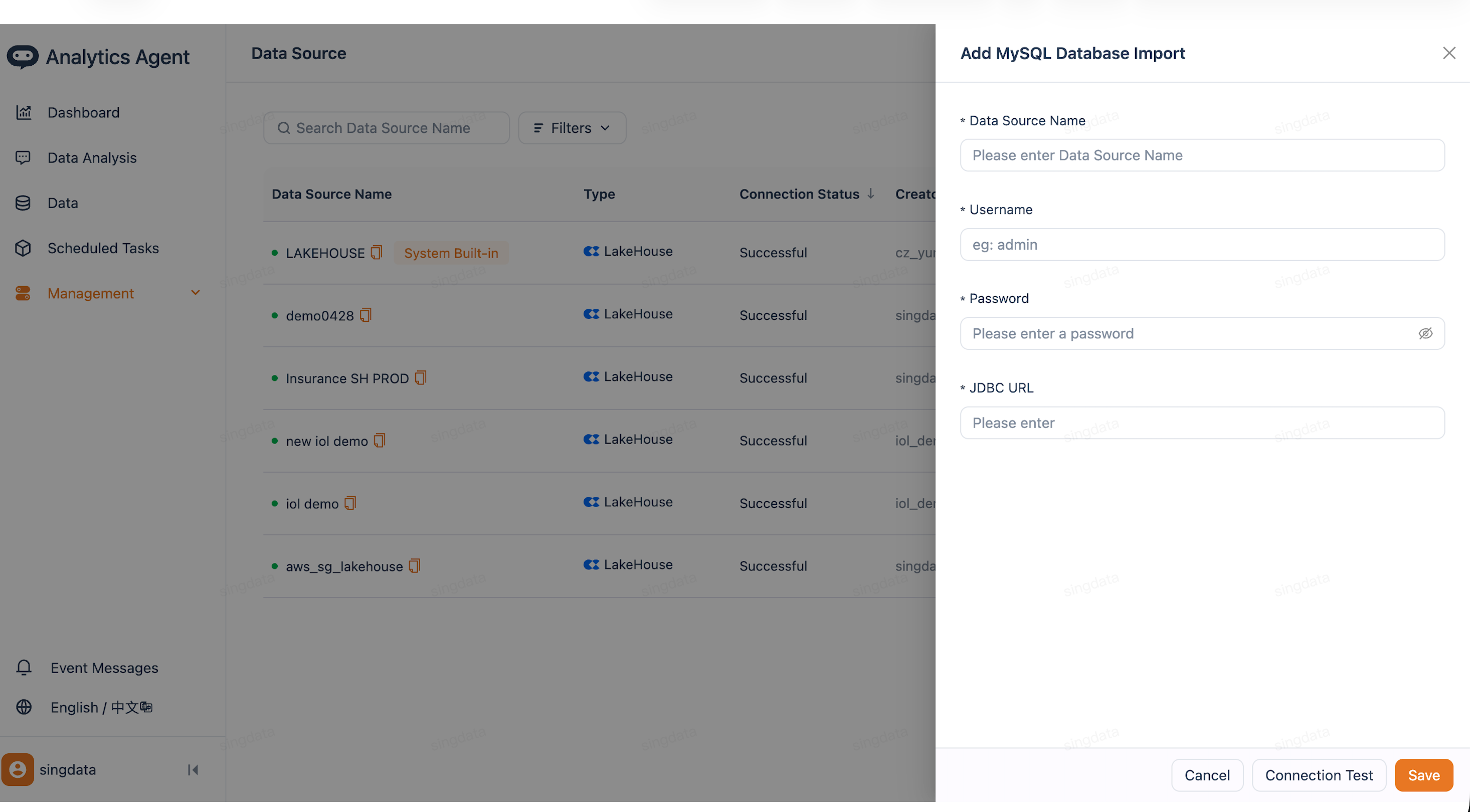
| Field | Description |
|---|---|
| Data source name | Must be unique within the system |
| Username | Database username |
| Password | Database password |
| JDBC URL | Connection address, format: jdbc:mysql://[host]:[port]/[database] |
Databricks
| Field | Description |
|---|---|
| Data source name | Must be unique within the system |
| JDBC URL | JDBC connection address of the Databricks cluster |
| Password | Access token (Personal Access Token) |
Connection Test and Save
After filling in all fields, click Connection Test to verify connectivity. Once the test passes, click Save to complete the setup.
Related Documentation
- Quick Start — After adding a data source, follow this guide to complete your first Q&A configuration
- Model Selection and Configuration — Choose the right LLM for your analysis domain
- Answer Accuracy Improvement — After connecting a data source, improve answer quality through semantic layer configuration
- Conversational Data Analytics (Analytics Agent) — Return to feature overview